
Reasons Why You Cannot Register for Courses in Strive (Administratively Locked)
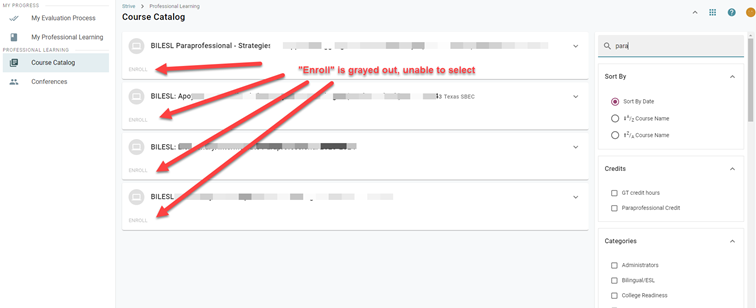
There are several possible reasons why you might encounter difficulties when trying to sign up for Professional Learning within Eduphoria Strive platform. If the Enroll button is grayed out, Strive will tell you exactly why—but you have to know where to look.
How to Find Your Specific Error Message:
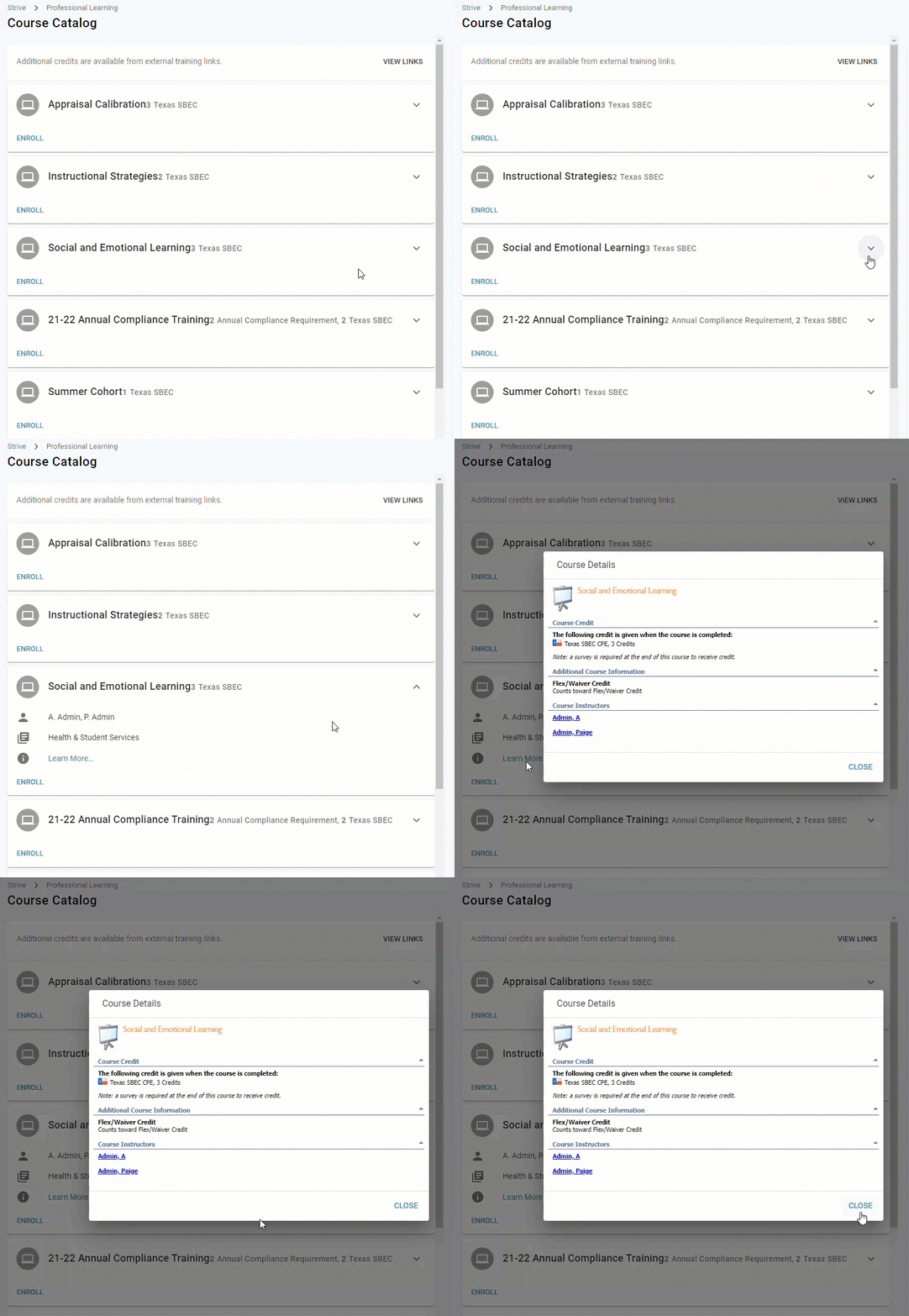
Navigate to Strive -> Professional Learning, then select the Courses tab.
Find the course you wish to take and click the down arrow next to its title. You will notice the "Enroll" option is grayed out.
From the dropdown menu, select the blue Learn More button.
The specific error message will now be displayed in the Course Details window. Match that message to the solutions below.
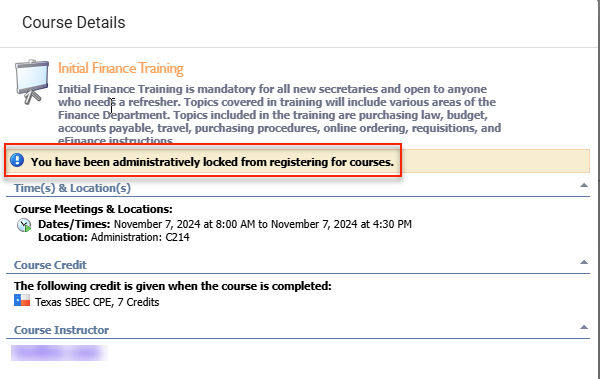
You have been Administratively Locked (Most Common)
What it means: You have 3 or more absences from Professional Learning courses. The system automatically locks your account.
What to do:
Go to Formspace in Eduphoria.
Submit the form titled: Eduphoria - Unlock Locked Strive Accounts.
Once your Principal or Supervisor approves it, the lock will be removed.
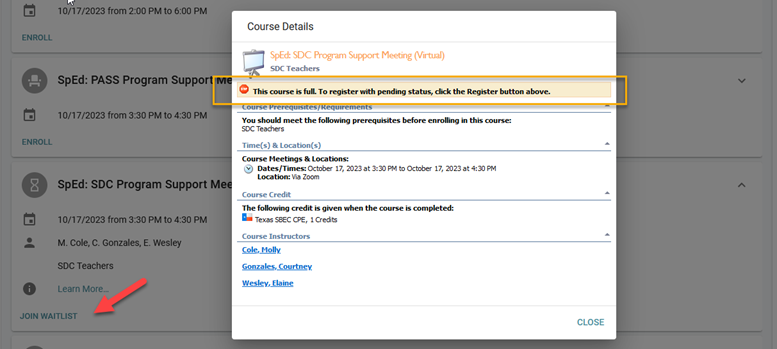
The Course is Full
What it means: There are no seats left. The course has reached it’s maximum capacity.
What to do: Click Join Waitlist. If a spot opens up, you will be notified via email.
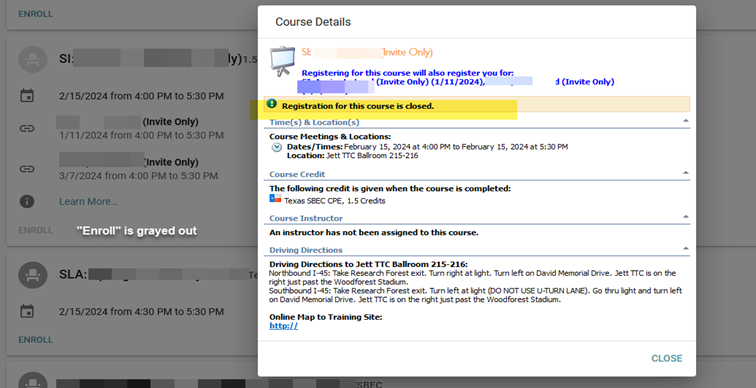
Registration is Closed
What it means: The deadline to sign up has passed.
What to do: Check the course details to see if it will be offered again in the future, or contact the Professional Learning department for more information.
You Do Not Meet the Course Criteria
What it means: The instructor has set specific prerequisites for the course, such as a required previous course, a specific job title, or membership in a certain department.
What to do: Review the Course Details for any listed prerequisites. If you believe you meet the criteria, please contact the instructor.
You Have a Conflicting Schedule
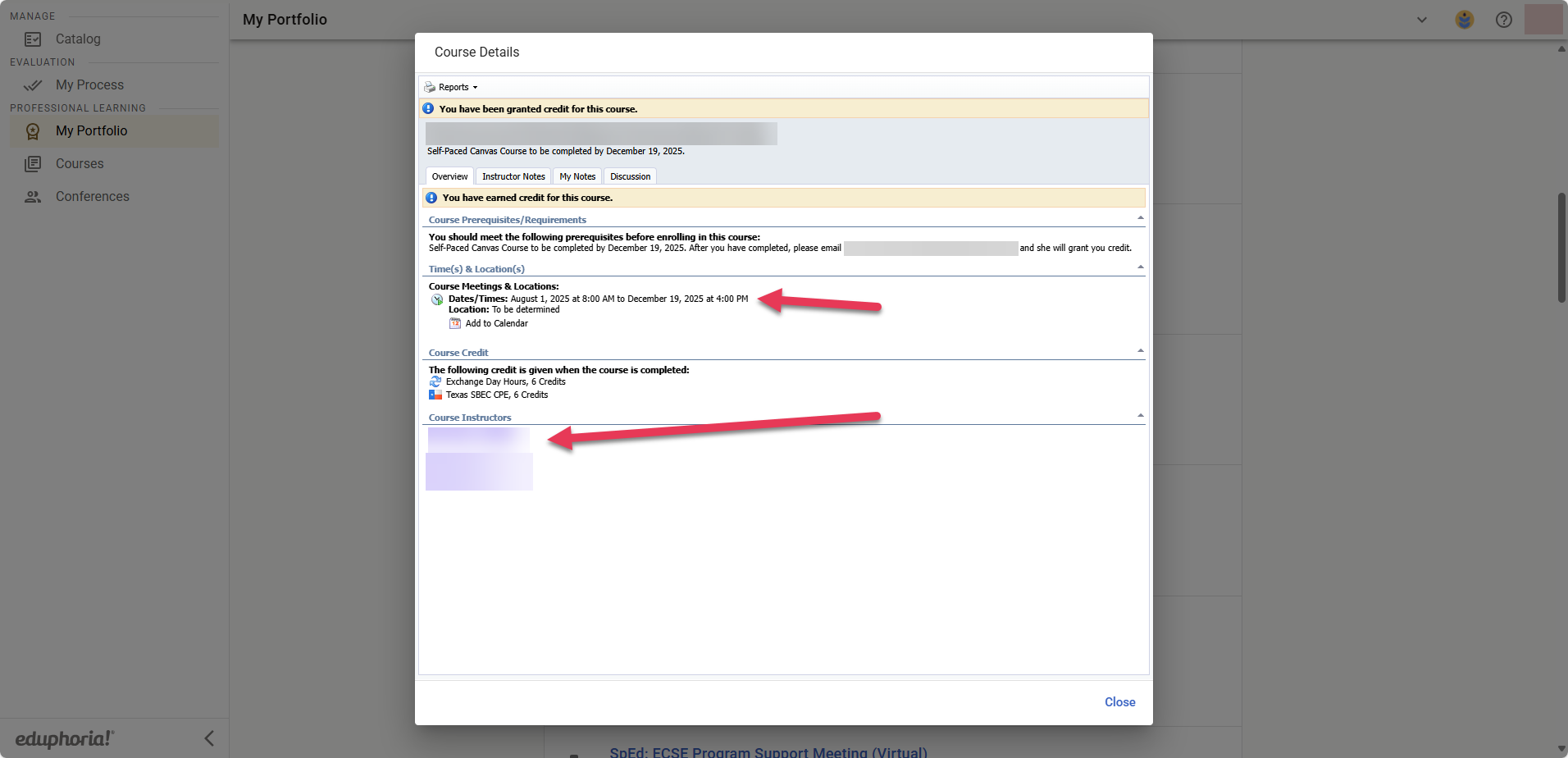
What it means: This message appears because you are already enrolled in another course with an overlapping date and time. Strive prevents you from being registered for two courses at once. This can happen for two reasons: you have a legitimate schedule conflict, or the dates on a past course are incorrect and are now blocking your schedule.
What to do: First, review your schedule in the My Professional Learning section of your portfolio to identify the specific course causing the conflict.
If the conflict is correct, you must un-enroll from one course before you can register for the other.
If you believe the dates on the conflicting course are incorrect, please contact the instructor of that course to request a correction.
Still have questions? Visit the Additional Help section for further assistance.