
How to Locate Serial and Asset Tag Numbers on Chromebooks and iPads
Identifying your device’s Serial Number and Asset Tag is necessary for technical support and inventory management. Please follow the instructions below to find these identifiers on your specific device.
Chromebooks
If the device is powered on:
Navigate to the Login Screen: Ensure the device is at the main login window.
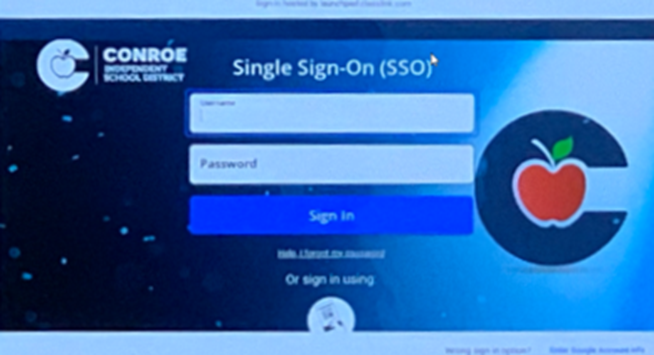
Use the Keyboard Shortcut: Press Alt + V simultaneously on your keyboard.
View Information: The Serial Number and Chrome OS version will appear in the upper right-hand corner of the screen.
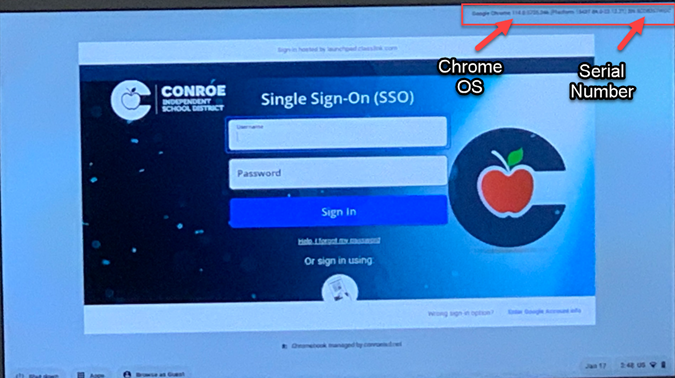
Hide Information: Press Alt + V again to remove the information from the screen.
If the device will not power on:
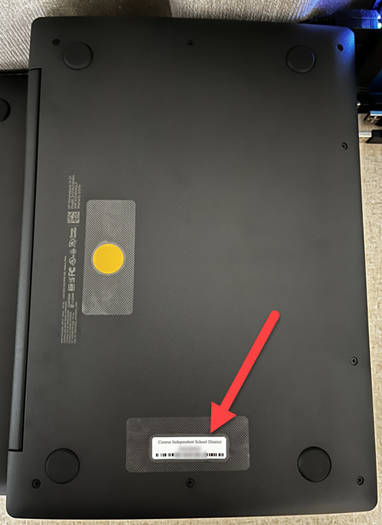
If the screen is not functioning, you can find the serial number physically on the device hardware. Look for a manufacturer's label on the bottom of the Chromebook. The serial number (often abbreviated as S/N) will be printed there.
iPads
If the device is powered on:
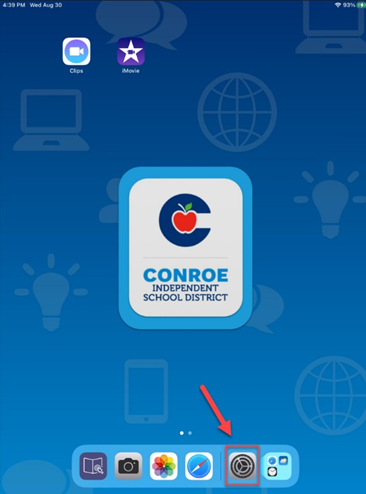
Open the Settings app.
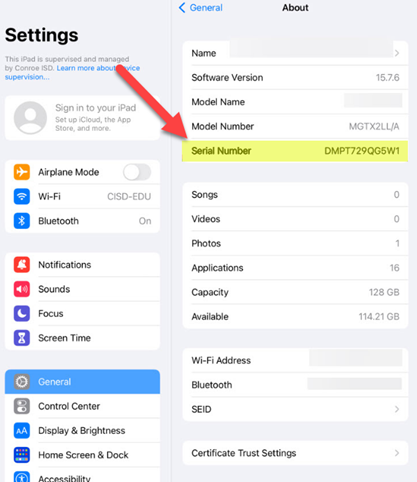
Select General, then tap About.
The Serial Number will be listed on this screen along with the Model Name and Model Number.
 |  |
|---|
If the device will not power on:
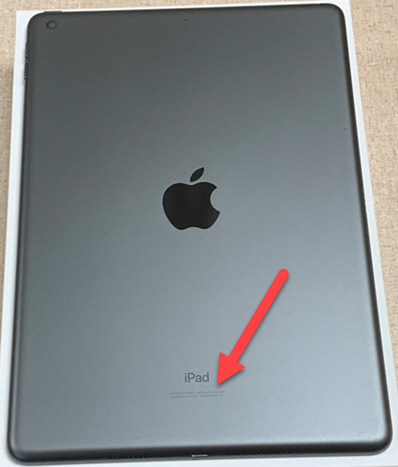
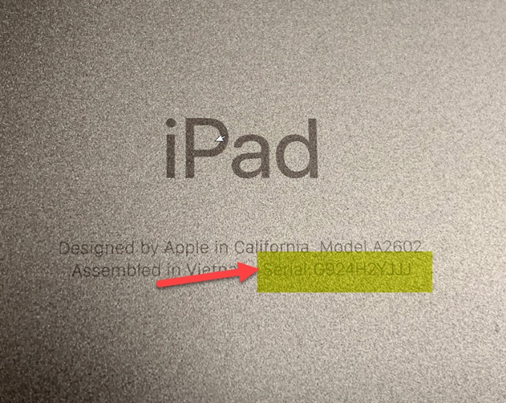
If the iPad is unresponsive, the serial number is laser-etched in very small print on the back of the device, near the bottom.

On some iPads , you may need to remove the protective case or cover to see the etched number.
 |  |
|---|
Asset Tag Identification
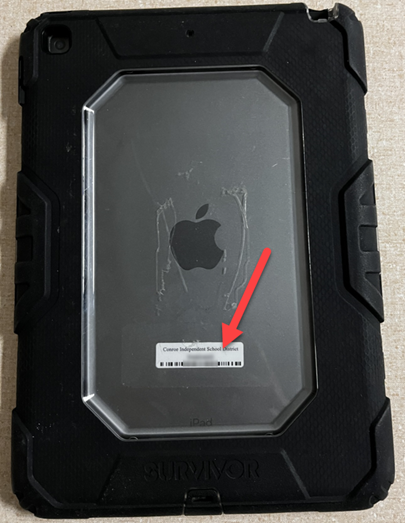
The Asset Tag (a white sticker with a barcode) is used for district inventory and is separate from the manufacturer's serial number.
Location: Asset Tag stickers are located on the back of every Chromebook and iPad.
Missing Tags: If a device is missing its Asset Tag sticker, please contact your Campus Tech to receive a replacement.
 |  |
|---|

Need additional help? Click here for further assistance.