
Use this guide to submit a help ticket for Canvas issues. You can report problems through Incident IQ, directly inside the Canvas website, or from the login page if you cannot access the system.
Instructions for Submitting a Ticket via Incident IQ
Please use Incident IQ in the Single Sign-On (SSO) portal as the primary method for reporting issues.
1. Access Incident IQ
Log in to your SSO. Search then select the Incident IQ icon.
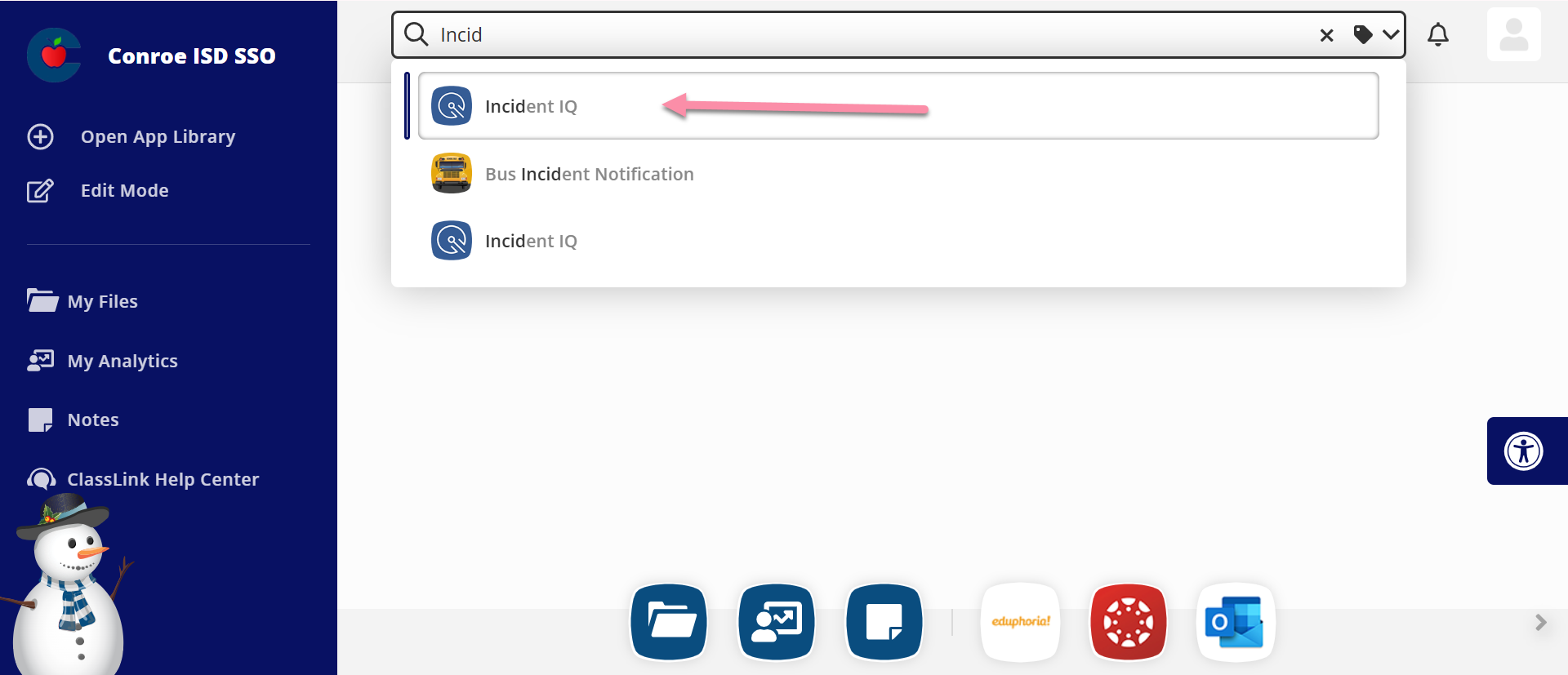
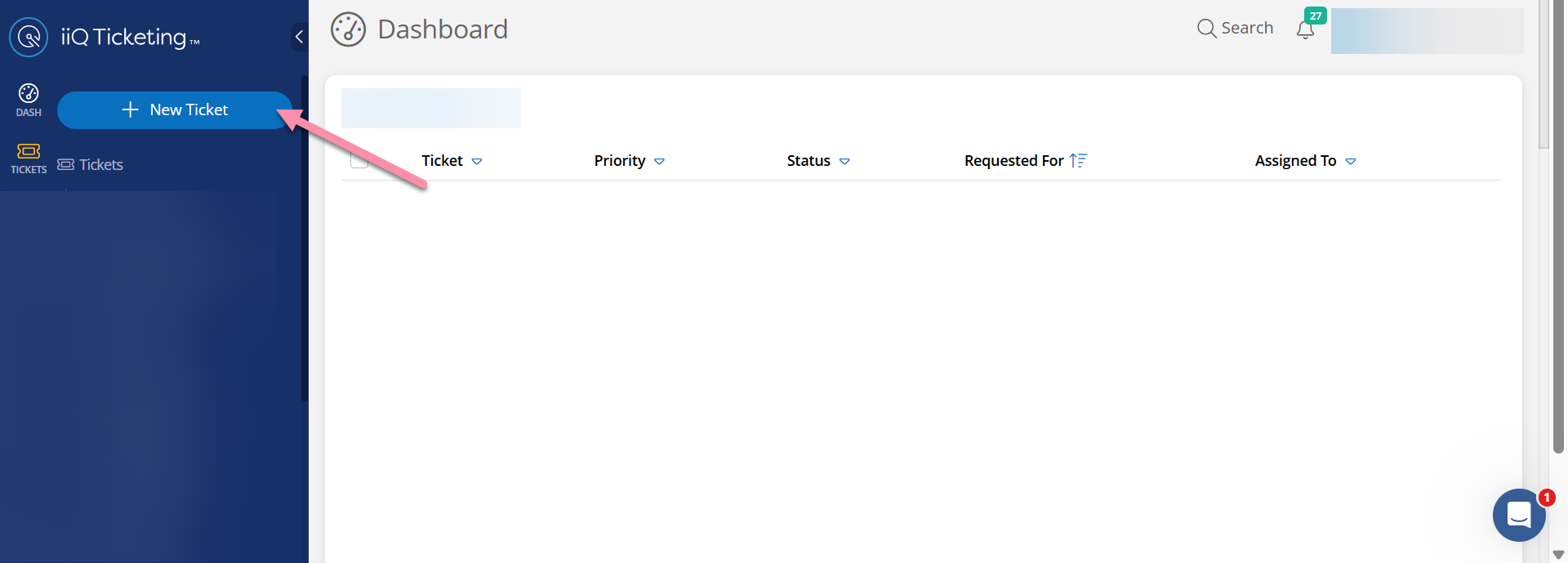
2. Create a New Ticket
Select the + New Ticket button.
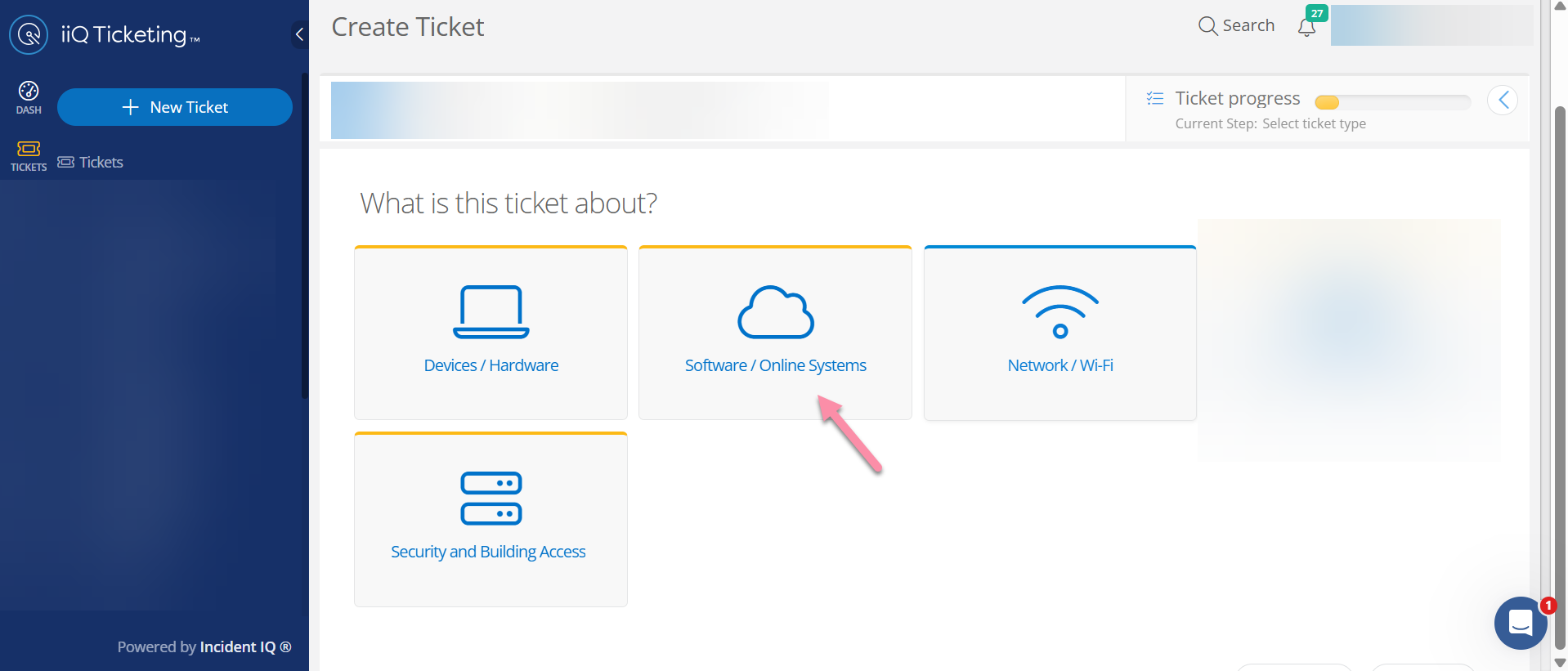
3. Select the Issue Category
Select Software/Online Systems.
4. Select the Software
Select Canvas LMS (Instructure).

5. Select the Issue Type
Choose the issue type that best matches your problem. If you don’t see an option that fits, select Issue Not Listed. Be sure to include any helpful details, such as the student’s name and/or ID, the course URL, and anything else the team should know. Then follow the prompts to submit your ticket.
Instructions for Reporting Issues within Canvas
If you are already logged into Canvas, you can use the Help menu to report a problem. This method automatically sends the support team the link to the page where the error occurred.
1. Navigate to the Issue
Open Canvas from your SSO. Open the specific assignment, page, or quiz where you are having trouble.
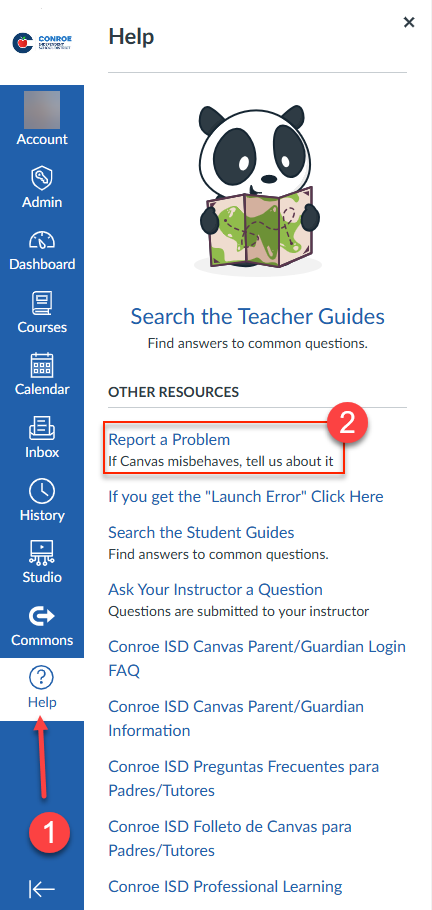
2. Select the Help Menu
Locate the Global Navigation Menu on the left side of the screen. Select the Help icon.
3. Open the Reporting Tool
Select Report a Problem.
4. Describe the Issue
Please provide a detailed description of the problem. To help the team fix the issue faster, please include the following details:
-
Course Number (Located in the web address bar)

-
Course Name
-
Assignment or Quiz Name
-
Instructor’s Name
5. Check Your Email for a Response
Support responses will be sent to your CISD Outlook email address. If you need more help after the initial response, please reply directly to that email thread. You do not need to submit a new ticket.
Instructions for Reporting Issues Without Logging In
If you cannot access the SSO portal, please use the external Canvas login page to submit a ticket.
1. Access the Login Page
Navigate to https://conroeisd.instructure.com/login/canvas
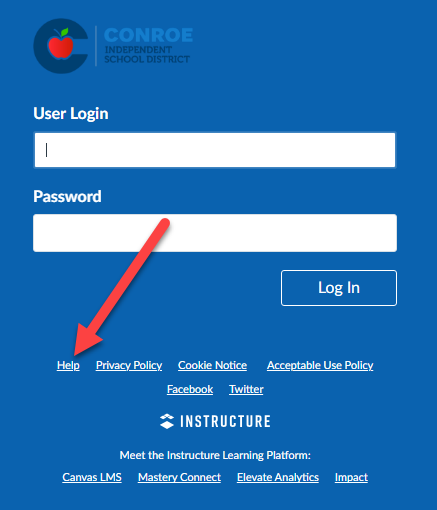
2. Select the Help Menu
Select the Help link located at the bottom of the login screen.
3. Submit Your Ticket
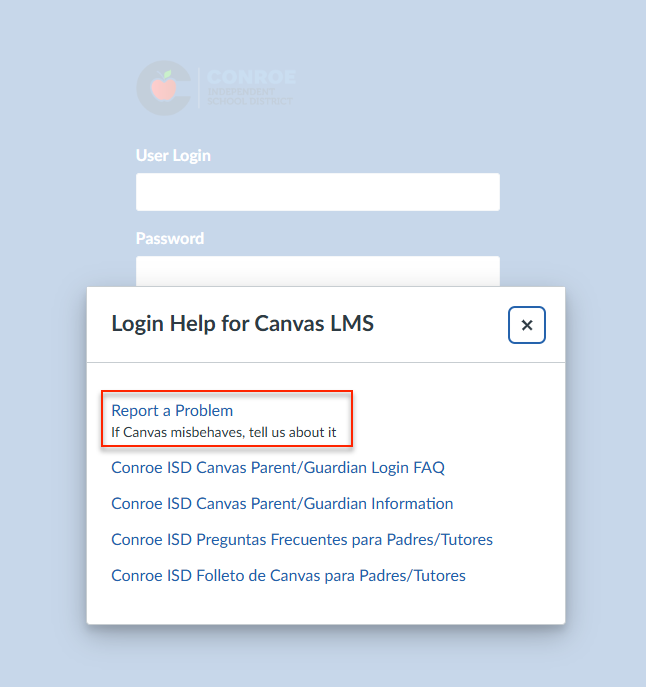
Select Report a Problem. Follow the prompts on the screen. Please ensure you enter the email address connected to your Canvas account so the support team can contact you.
Still have questions? Visit the Additional Help section for further assistance.