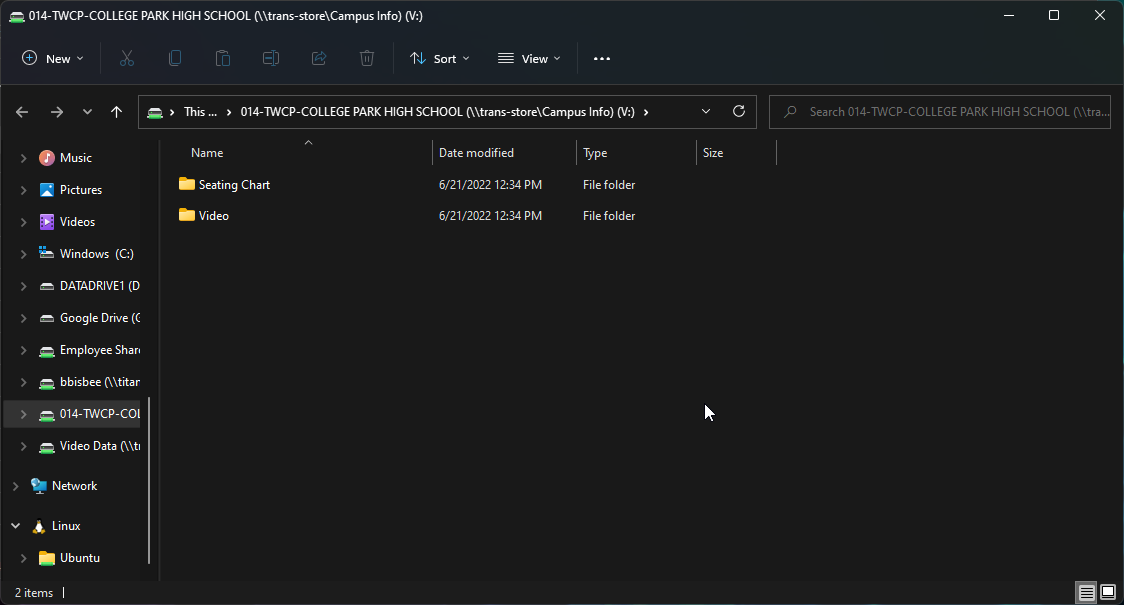
This document is designed for campus administrators or their designee to view bus video. Anyone requesting access must have prior approval from their campus administrator and the transportation department.
-
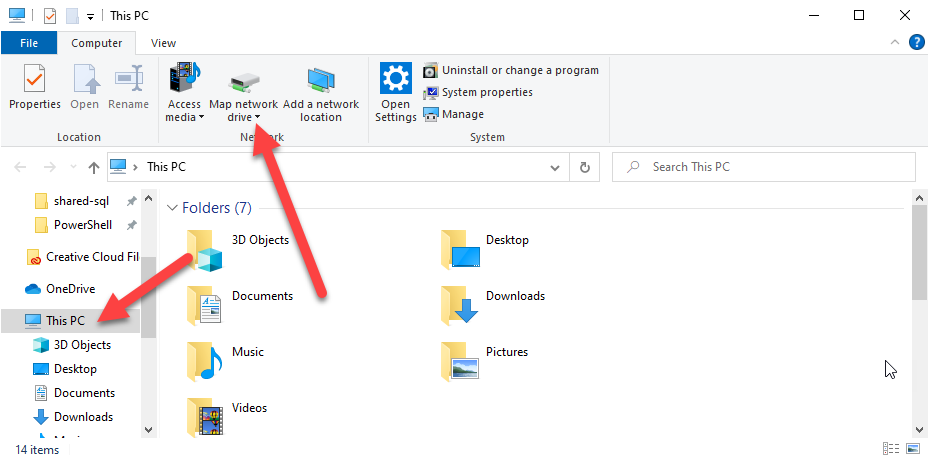
Open This PC
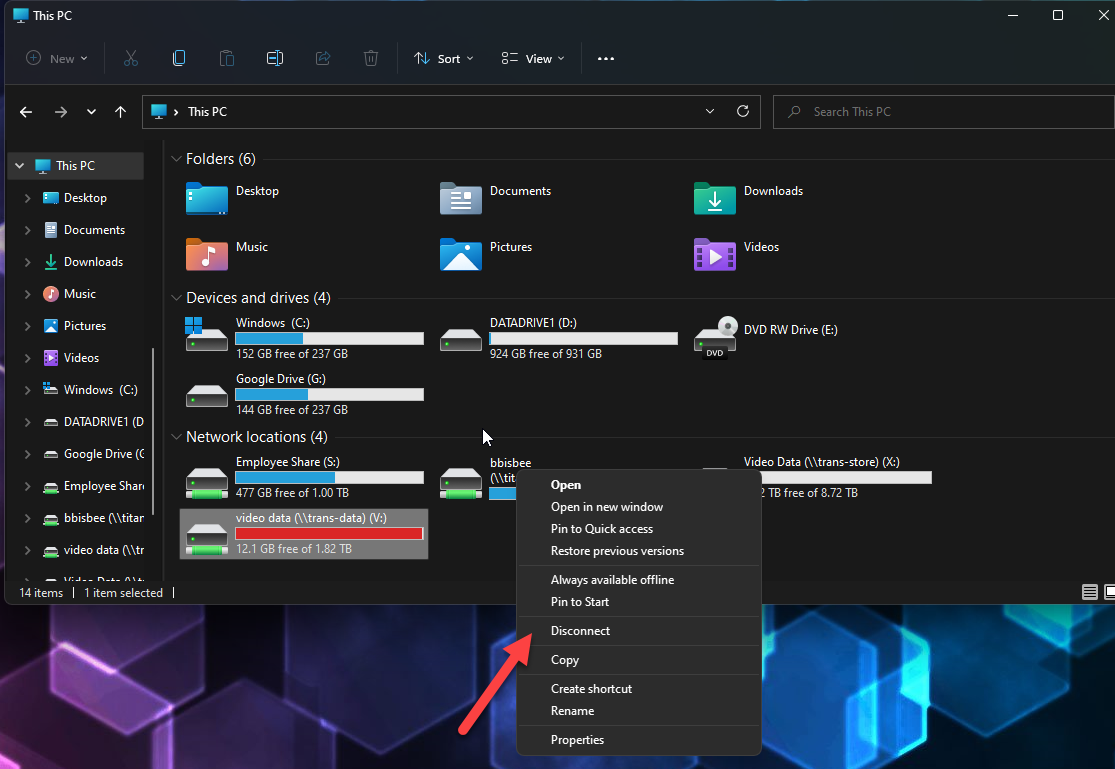
You may have an existing connection to the old video server, if so, right click and disconnect
-
Next, Go to Map Network Drive
-
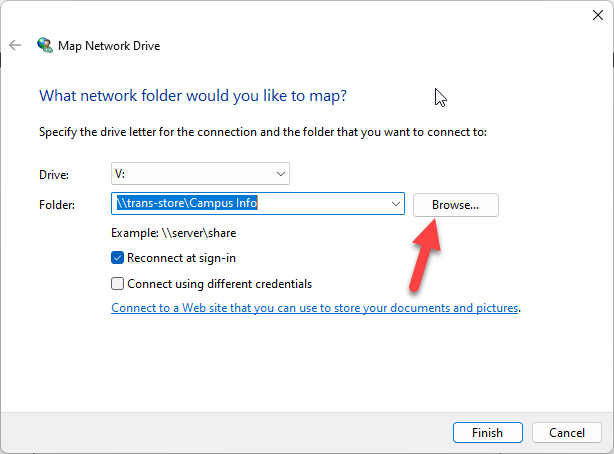
When asked for a drive letter, choose drive V:. In the Folder Box: Enter \\trans-store\Campus Info and then Click Browse
-
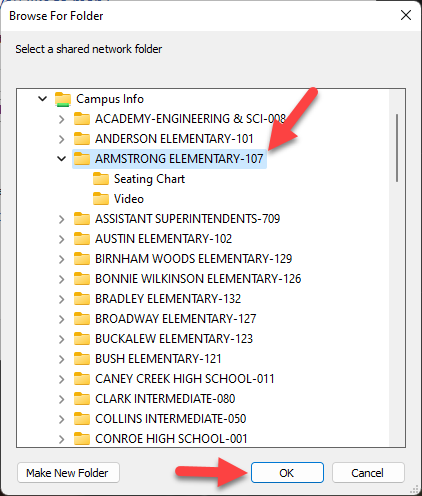
In the Browse Dialog box, expand “Campus Info” and Scroll down to find your campus folder. The list is sorted by campus/department name. Make your selection and then click OK
-
Click Finish