
This guide explains how to complete the Frontline Absence Management User Access Review form in Eduphoria Formspace. This review is part of the district’s bi-annual ITCG audit process and helps ensure that employee access to Frontline remains accurate and up to date for your campus or department.
Important Guidelines and Requirements
-
Purpose: This form is intended only for removing user access. It should not be used to request new access or modify existing permissions in Frontline.
-
Submission Deadline: Please complete and submit the form by the communicated deadline.The deadline for this review is May 22nd.
-
Attachment Requirement: A completed form and all required file attachments must be included at the time of submission. Incomplete forms or submissions missing required attachments will be flagged, denied, and returned for correction.
-
Questions: If you have specific questions or concerns, please reach out to lwistner@conroeisd.net
Steps to Complete the Review
Follow the steps below to review and submit the Frontline user access review form.
1. Open Eduphoria
-
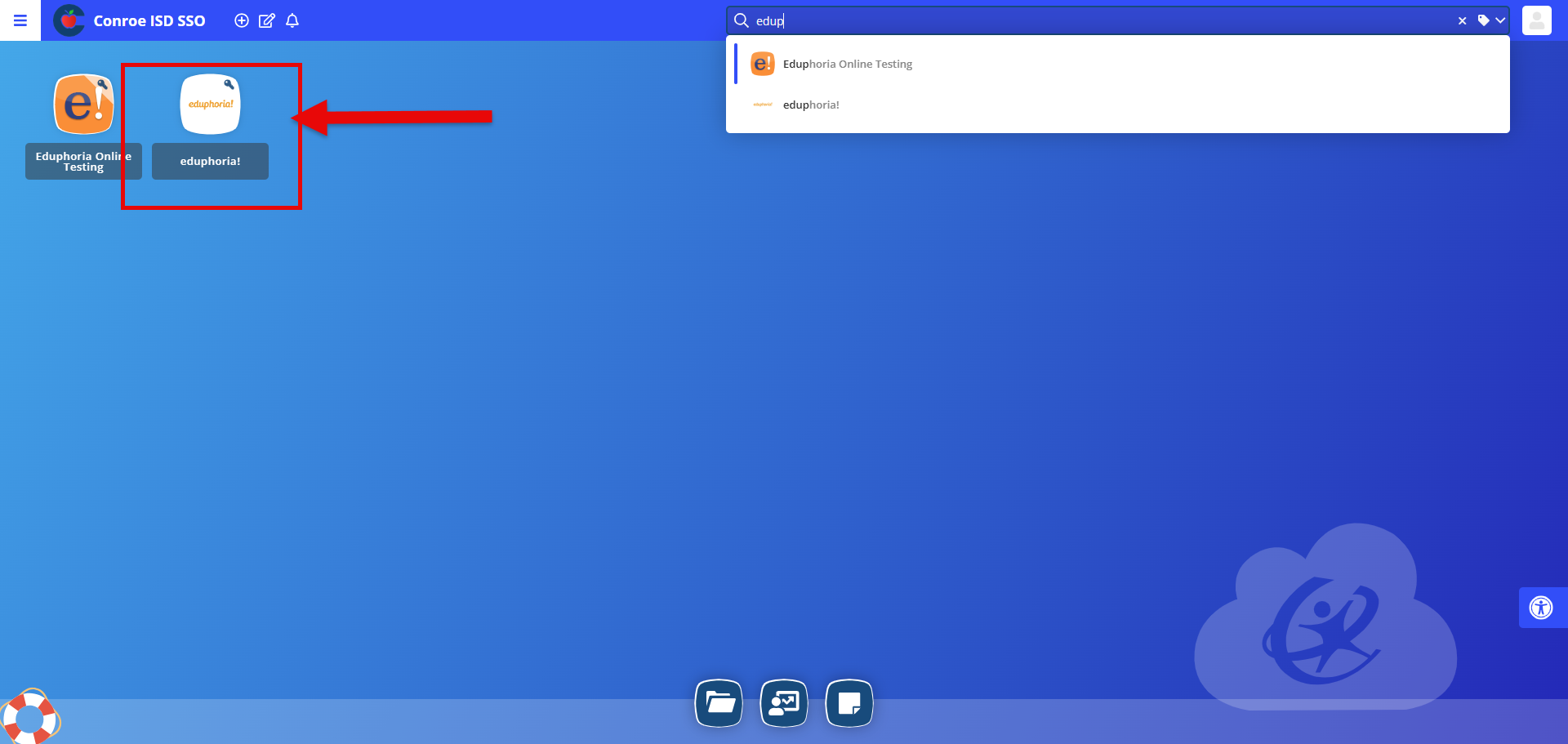
Open Eduphoria by searching your Conroe ISD Single Sign-On (SSO).
-
Make sure you select the main Eduphoria application and not Eduphoria Online Testing.
2. Open Formspace
-
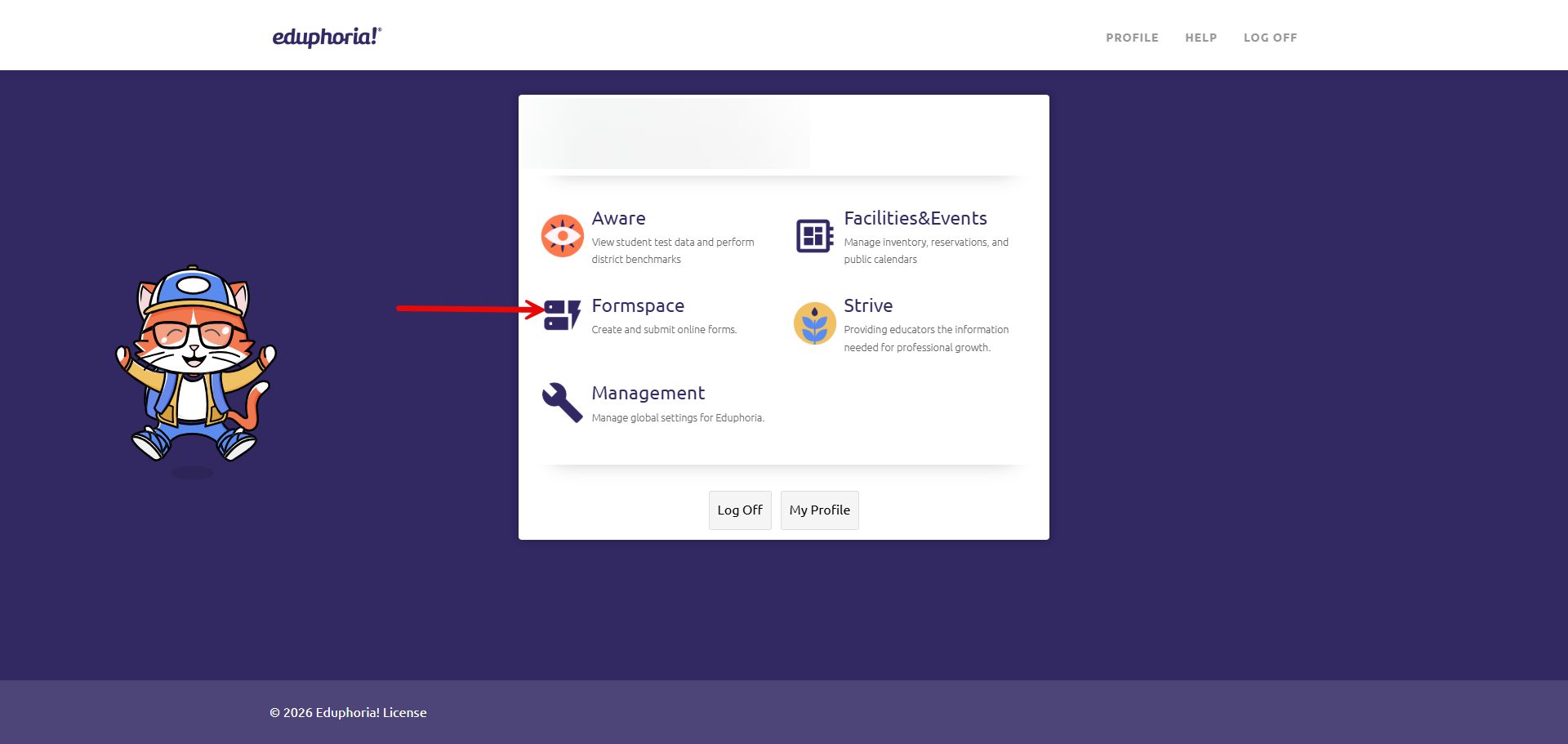
Select Formspace from the Eduphoria homepage.
-
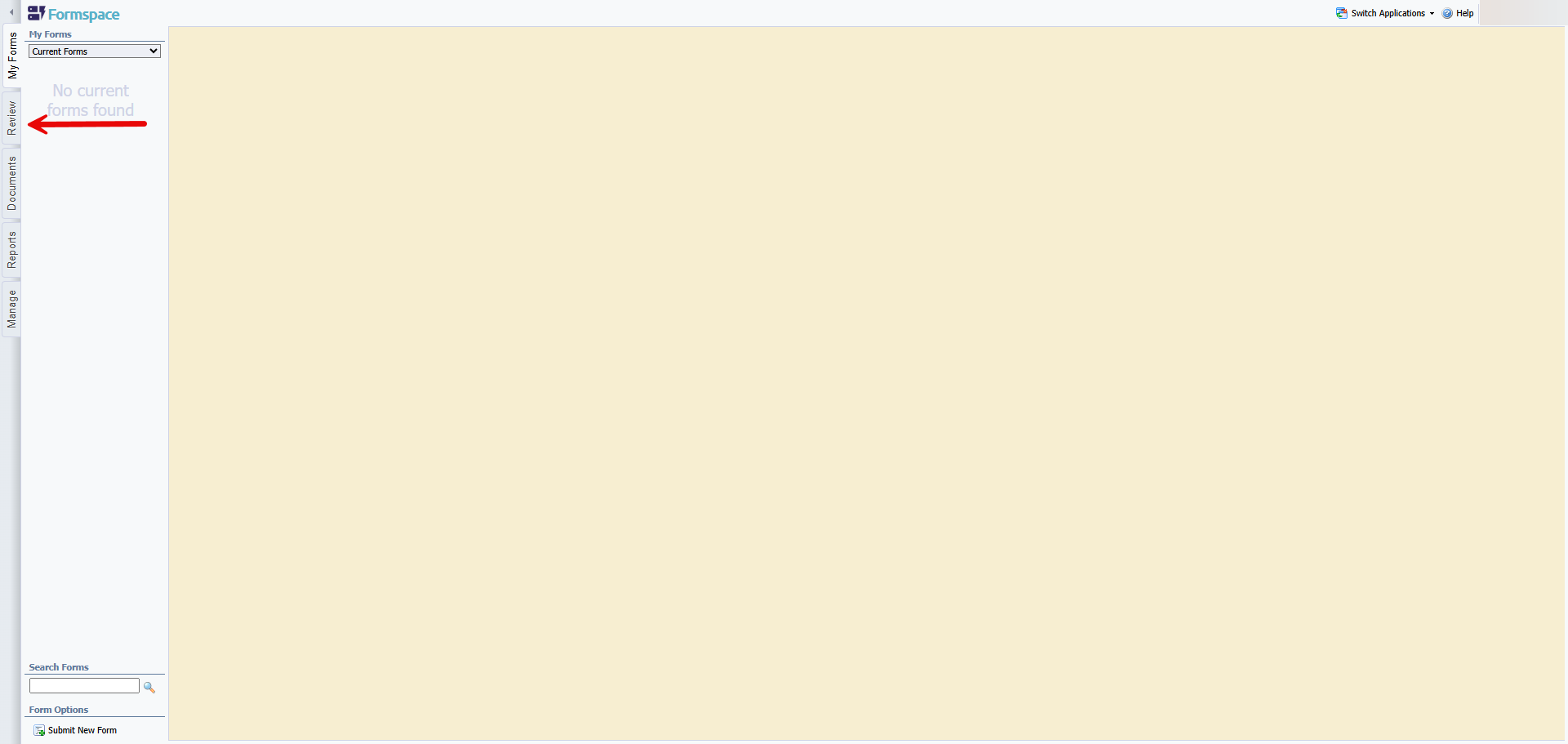
Open the Review tab.
-
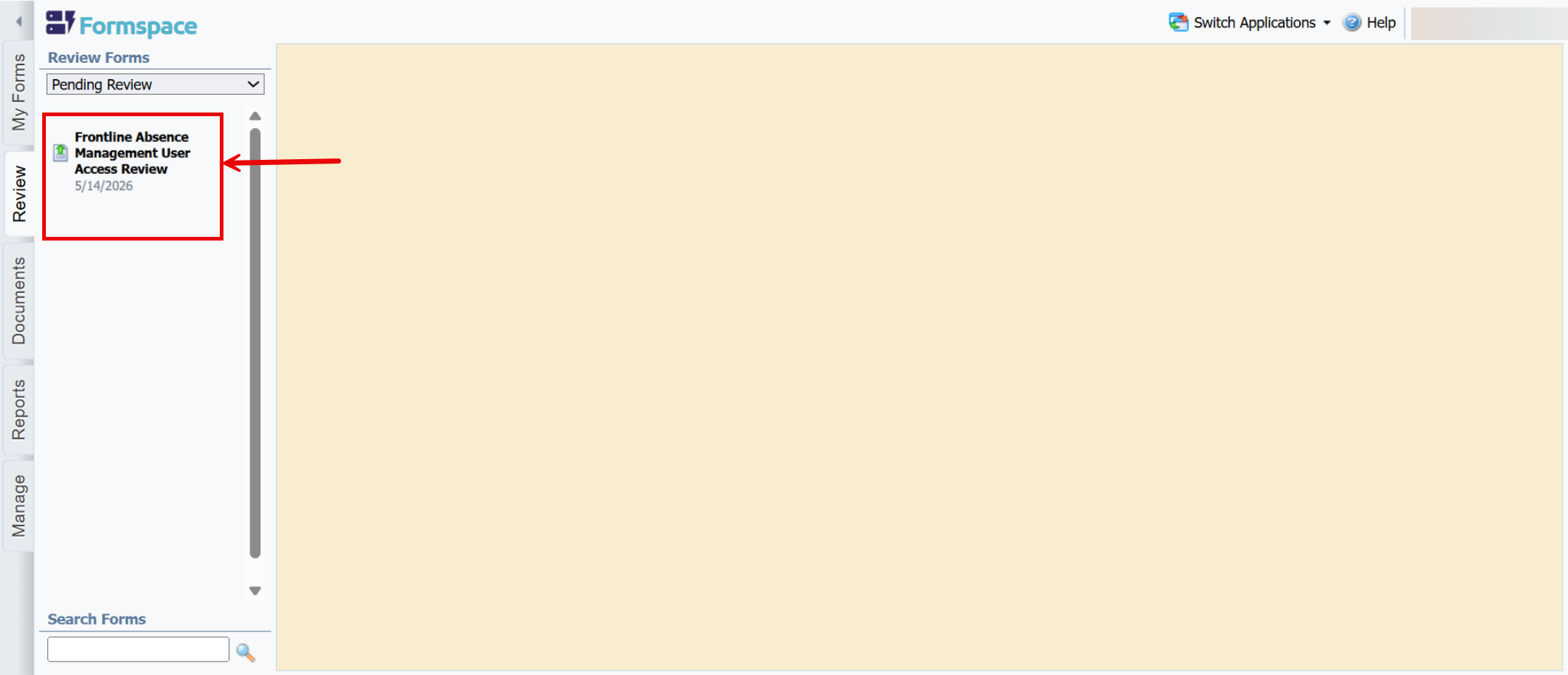
Locate the form titled Frontline Absence Management User Access Review under the Pending Review section.
3. Review the User Access List
-
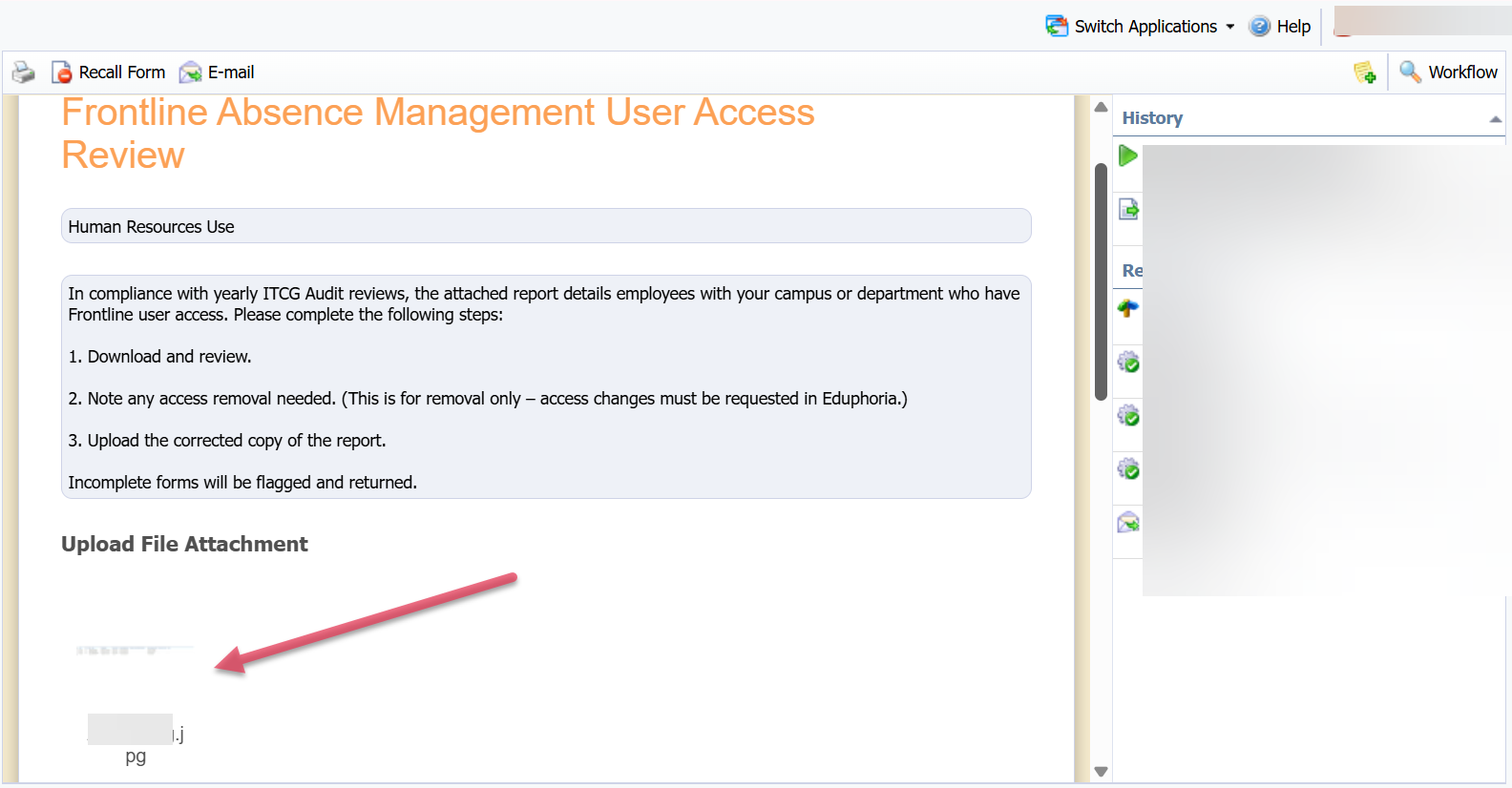
Open the attachment within the form to view the current list of personnel with Frontline Absence Management access for your campus or department.
-
Review the names to identify any employees who need to be removed (e.g., inactive staff, those who changed positions, or those who no longer require access).
-
Prepare your file for upload based on your review findings:
-
If you HAVE removals to request: Choose one of the following methods to document the changes:
-
Option A (Markup): Draw lines through or highlight directly onto the attached file, then save it to your computer.
-
Option B (Separate Document): Create a Word document listing the specific details of whose access needs to be removed.
-
-
If you HAVE NO changes (All access is correct): Simply save the original, unmodified file to your computer. Please Note: A file upload is mandatory to complete the form. You will upload this file in the following steps to confirm your review is complete.
-
Need help understanding Frontline permission levels or access types?
Please refer to the Frontline Approval: What You Need to Know reference section at the bottom of this page.
4. Confirm the Review Status
-
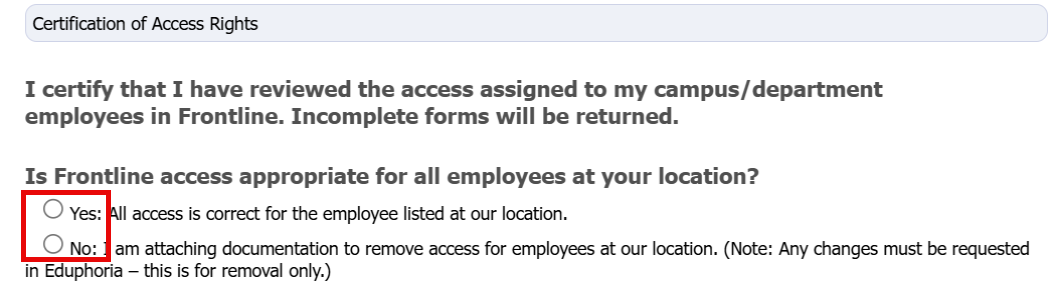
Select Yes if all listed access is correct.
-
Select No if changes or removals are requested.
5. Upload the Required Attachment
-
A file must be uploaded to submit this form. Any submission without a file attachment will be rejected.
-
If you selected Yes above, upload the original attachment.
-
If you selected No, upload either:
-
your marked-up version of the original file
-
your Word document explaining the requested changes.
-
6. Submit the Form
-
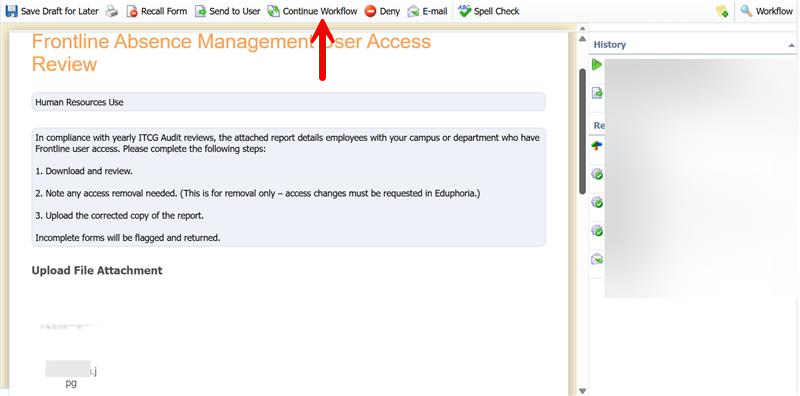
To submit the form, select Continue Workflow at the top of the page.
-
A comment box will open. You can add any notes there if needed, or simply select Continue to complete the workflow.
Frontline Approval: What You Need to Know
This section provides an overview of Frontline user types, profile components, and standard access configurations to help you verify employee permissions during your review.
Understanding the 2 User Types
Every user in Frontline is assigned one of two primary user types:
-
Campus User: Allows the user to view or modify information only at a specific campus or department.
-
Organization User: Allows the user to view or modify information at the district level.
The 4 Additional Profile Areas
Beyond the primary user type, access is further defined by four distinct profile dimensions:
-
Permission Profile: Determines what actions you can perform (e.g., Campus User, Department Approver, or others as needed).
-
School Visibility: Determines which campus(es) or department(s) you are permitted to see.
-
Employee Type Visibility: Determines which specific employee types you are permitted to see.
-
Absence Approver Profile: Approval Level
Typical Access Profiles
The configurations below represent the standard setups utilized across the district. Use these as a reference when verifying the access list for your staff.
Campus User (Full Access)
-
Target Audience: Frontline Campus Contacts (e.g., Campus Secretary or an Administrator with full system access).
-
System Path:
Campus User>Campus Users>[Location]>Campus User Default

Campus User (Approver Only)
-
Target Audience: Campus Administrators (e.g., a Principal or Assistant Principal who also approves employee leave).
-
System Path:
Campus User>Campus Users>[Location]>Campus Approver

Campus User (View Only)
-
Target Audience: New Campus Administrators (e.g., Assistant Principals or new users who require baseline visibility but do not take action).
-
System Path:
Campus User>View Only>[Location]>Campus User Default

Organization User (T&L Only)
-
Target Audience: Teaching & Learning (T&L) Secretaries who approve staff development district-wide.
-
System Path:
Organization User>Department Approvers>[Location]>Staff Dev Absences>DL School Business Approver

Additional Help
As a reminder, this process is specifically to confirm which access should be removed. If you have any further questions or require assistance evaluating these profiles, please reach out directly to lwistner@conroeisd.net.
Still have questions? Visit the Additional Help section for further assistance.