
If you need assistance with Eduphoria, please submit a ticket through Incident IQ. Follow the steps below to ensure your request is routed correctly.
Steps
-
Access Incident IQ
-
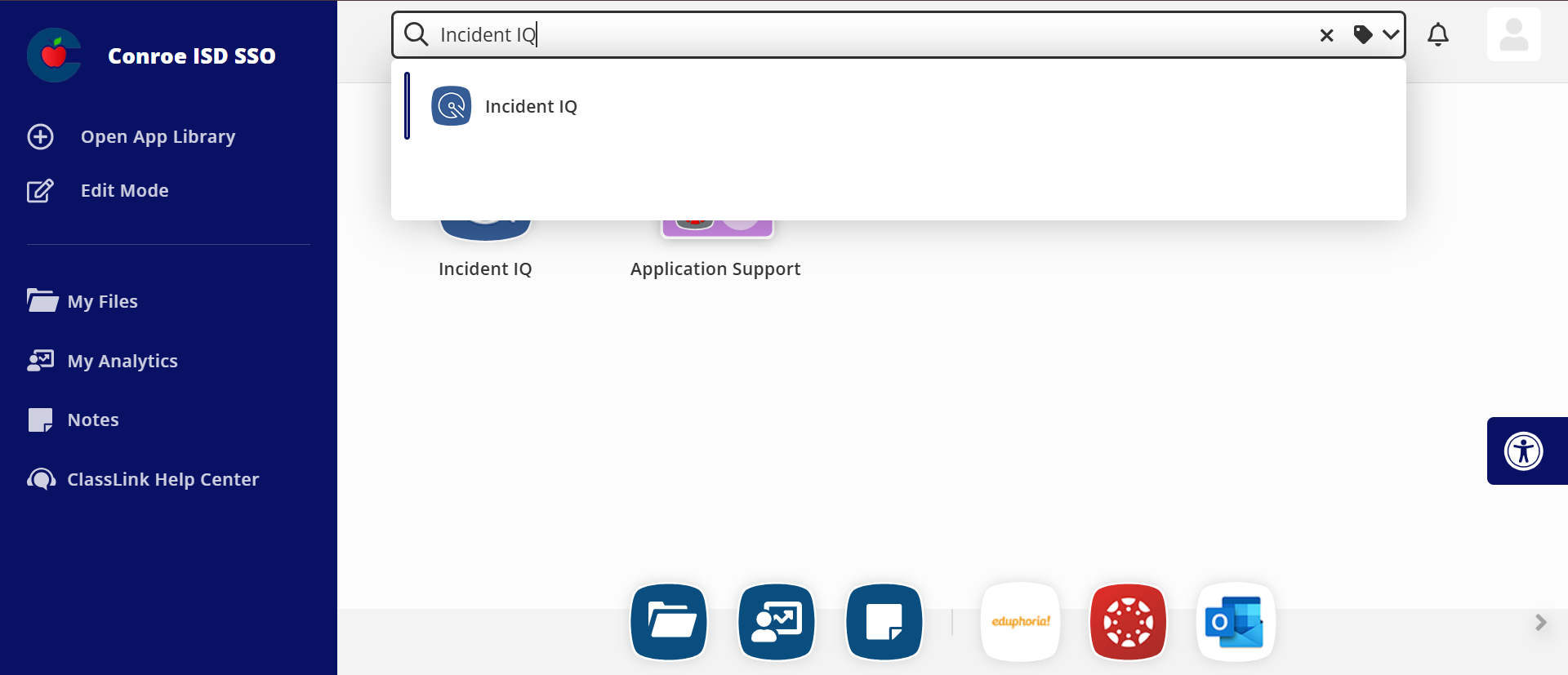
Search for “Incident IQ” in your SSO (Single Sign-On) portal.
-
Open the Incident IQ application.
-
-
Submit a New Ticket
-
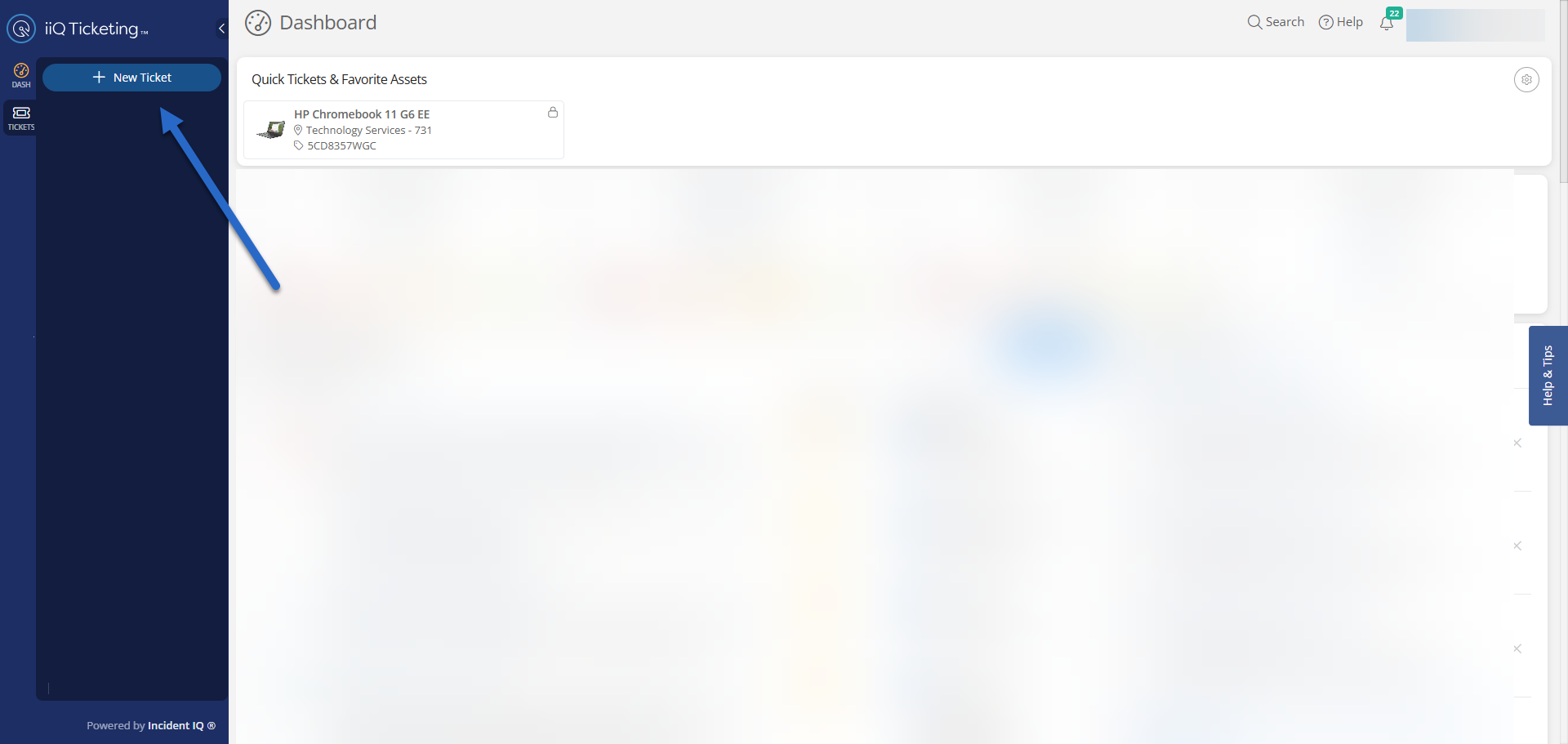
Click on + New Ticket on the left-hand menu. This button is located at the top of the navigation panel.
-
-
Select the Appropriate Category
-
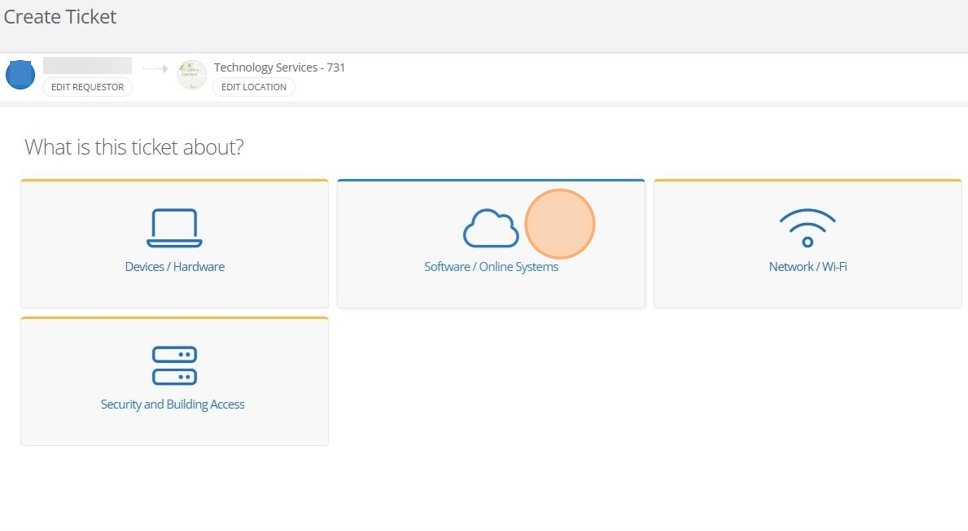
Choose Software / Online Systems as the ticket category. This option is labeled with a cloud icon.
-
-
Choose Eduphoria Module
-
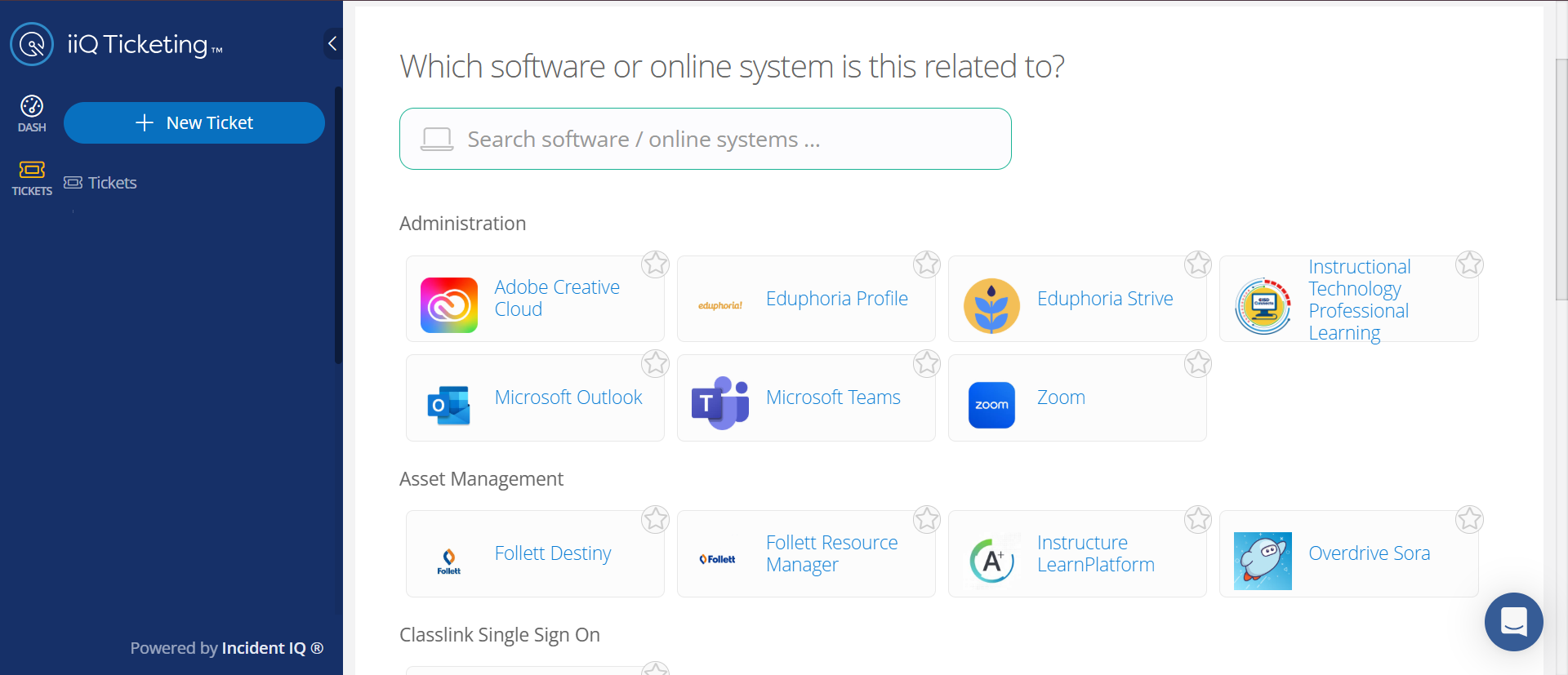
Find Eduphoria and the specific Eduphoria module you need help with. Each module is labeled by name. (e.g., Aware, Strive, or Profile).
-
Select the Issue Category that is most closely aligned with what you are requiring assistance with,
-
If you are unsure which module to select, describe your issue in the ticket details.
-
Complete and Submit the Ticket
-
Fill in all required fields with details about your issue or request.
-
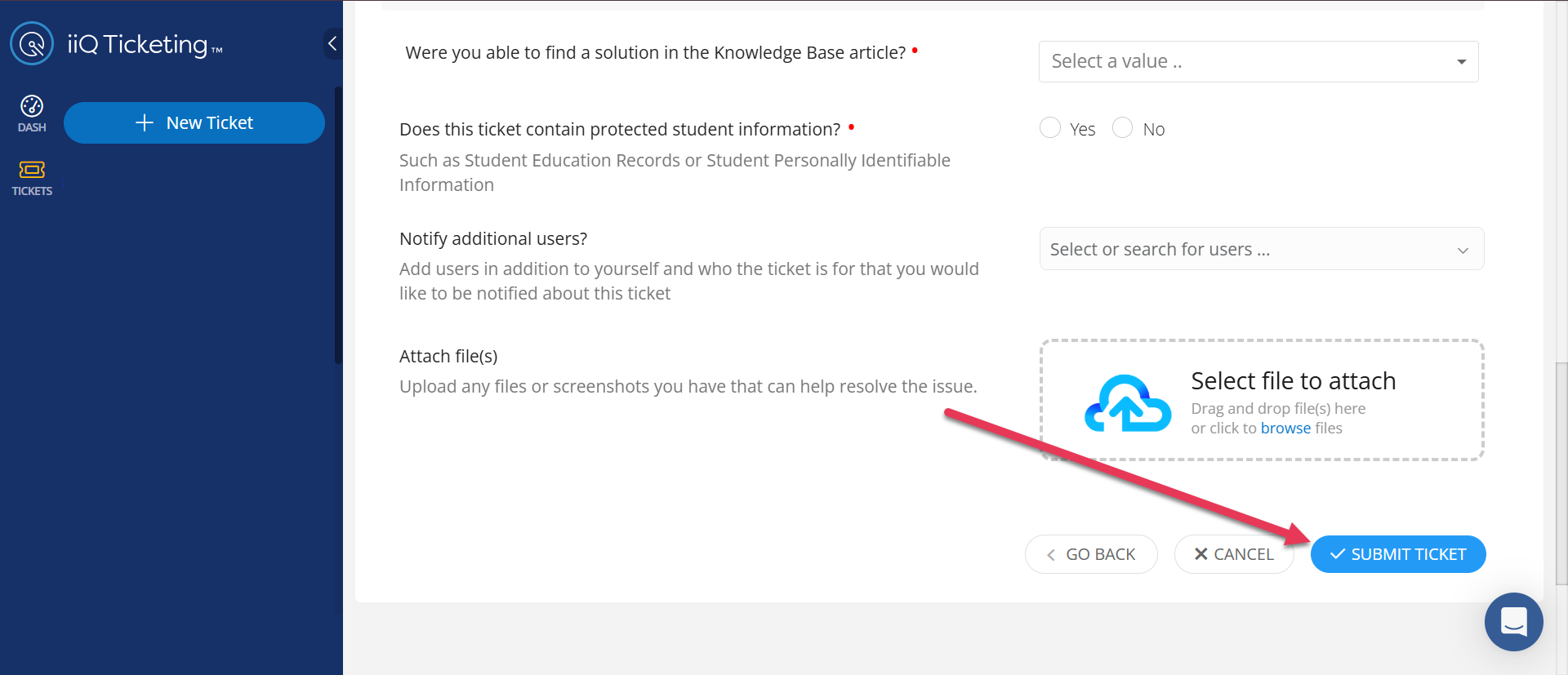
When finished, click the Submit Ticket button at the bottom right of the form.
-
Providing detailed information in your ticket will help resolve your issue more quickly. (Example: Name and/or ID of user experiencing the problem, the name of the test, steps taken to try and resolve the issue etc.)
Still have questions? Visit the Additional Help section for further assistance.