
This guide explains how to use the iPad App and JAMF School Issues Form in Eduphoria. Use this process to report software-related issues that can often be fixed remotely without a physical repair.
If the issue cannot be fixed remotely, the Student Device team will notify you. In that case, please submit a incident IQ ticket and send the iPad in for repair. Here’s how to submit a ticket: How to Submit a Ticket: Campus Hardware & Devices
When to Use This Form
Please submit this form for the following scenarios:
-
iPads were wiped but did not complete the setup steps.
-
iPads display the wrong background (e.g., old background instead of the Dark Blue or Light Blue JAMF School background).
-
iPads will not connect to EDU WIFI.
-
Apps are not installing, loading slowly, or crashing.
-
Requesting a device role change (switching an iPad from Staff to Student or Student to Staff).
-
Other unusual software-related behaviors.
How to Submit the Request
1. Access the Form
-
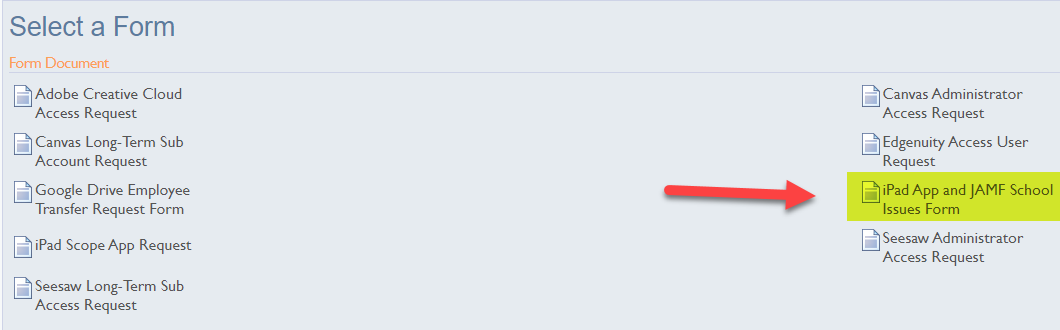
Open Eduphoria from your SSO then open Formspace.
-
Locate and select the iPad App and JAMF School Issues form.
2. Create the Spreadsheet
The form requires you to upload a spreadsheet containing the device details.
-
Copy the URL found inside the form description.
-
Paste the URL into your browser.
-
Select Make a Copy to save the Google Spreadsheet to your drive.
-
Note: You only need to do this once. You may reuse this specific Google Spreadsheet for future requests.
-
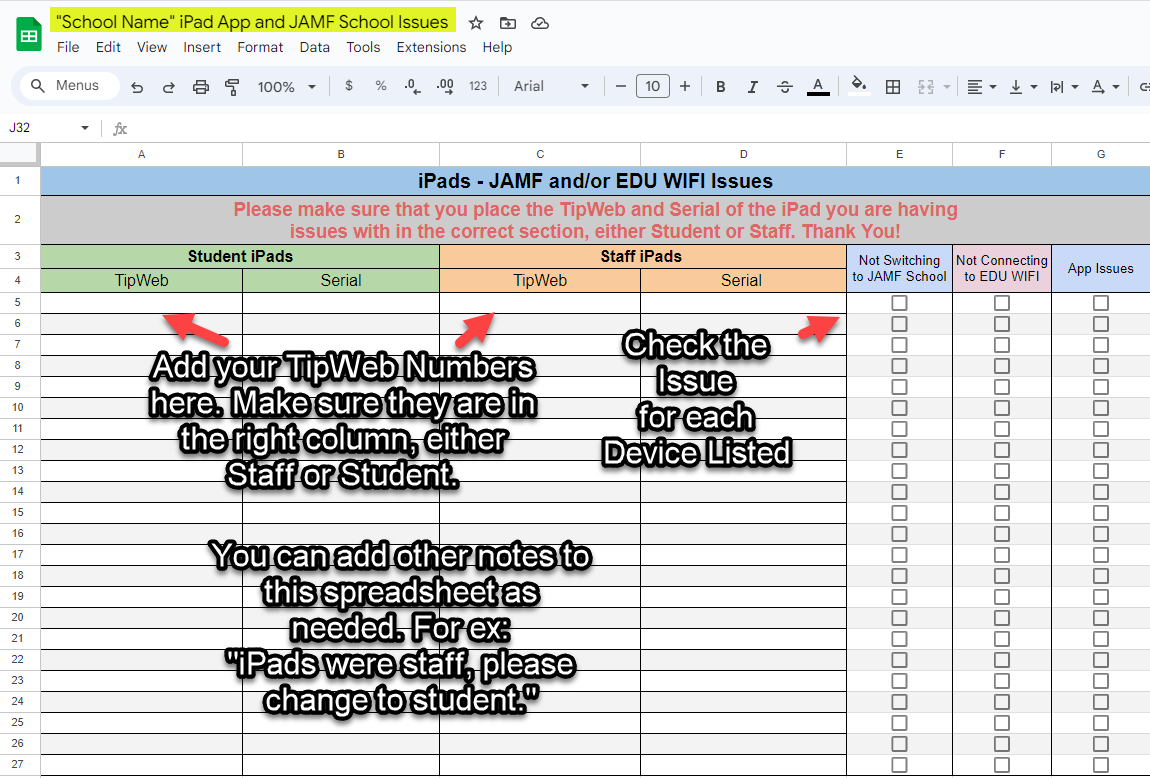
3. Enter Device Details
-
Enter the iPad TipWeb numbers into the spreadsheet.
-
Check the box corresponding to the specific issue for each device.
-
Add any necessary notes in the spreadsheet (e.g., "Change to Staff Device").
4. Download as Excel
-
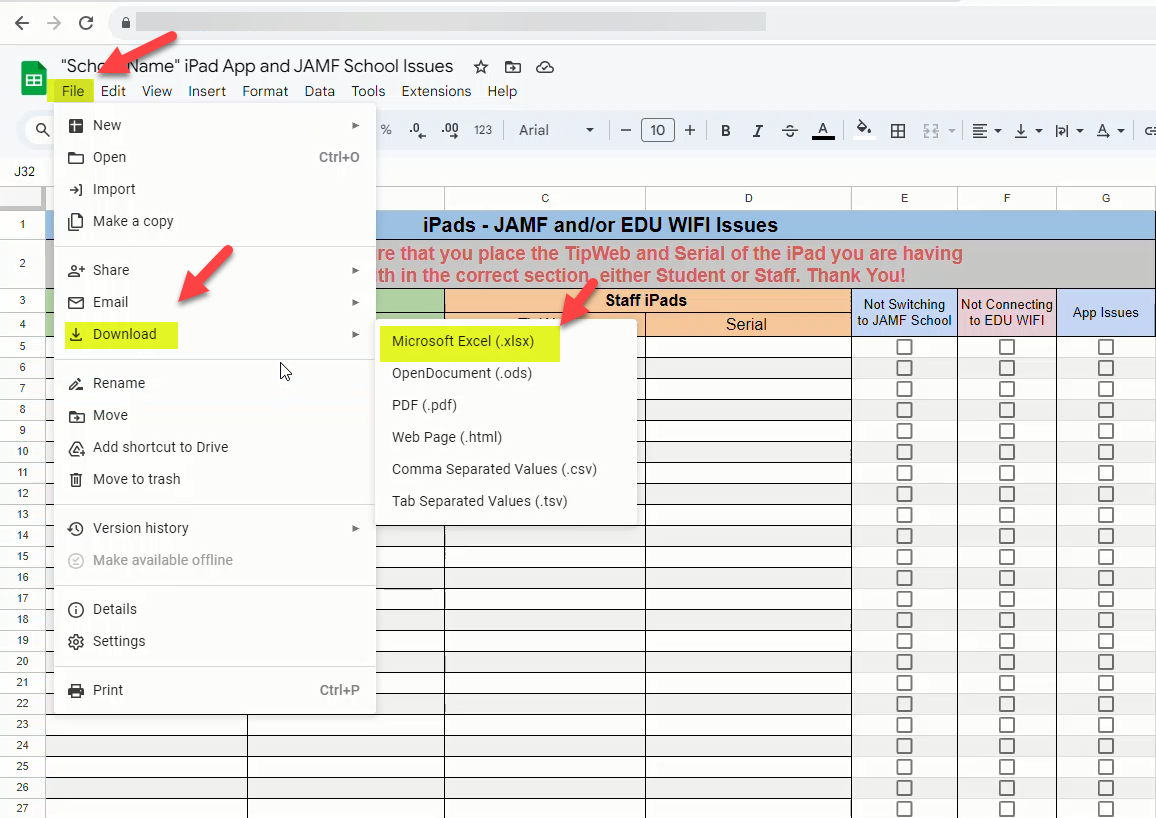
Select File.
-
Select Download.
-
Select Microsoft Excel (.xlsx).
5. Upload and Submit
-
Return to the iPad App and JAMF School Issues form in Eduphoria.
-
Upload the Excel file you just created.
-
Select Submit.
-
Note: The form will not be received if the spreadsheet is missing. This is a required step.
-
Troubleshooting and Repairs
If the Issue Persists
If you receive an email stating the issue is fixed, but the iPad still malfunctions:
-
Submit a Incident IQ Ticket.
-
Send the iPad in for physical repair.
If Remote Fix Fails
If you receive an email stating the issue cannot be fixed remotely:
-
Submit a Incident IQ Ticket.
-
Send the iPad in for physical repair.
Need additional help? Click here for further assistance.