
This guide explains how to locate and modify an existing discipline referral using the Process Incidents report in View-It.
Steps to Update a Referral
1. Open the Reports Menu

2. Select Discipline
Choose the Discipline category.

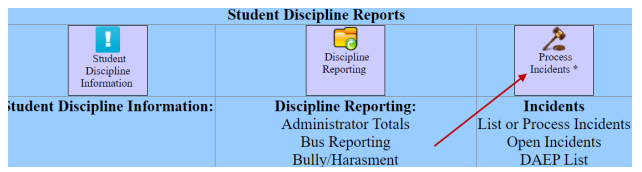
3. Open Process Incidents
Select the option for Process Incidents.
4. Configure the Report
-
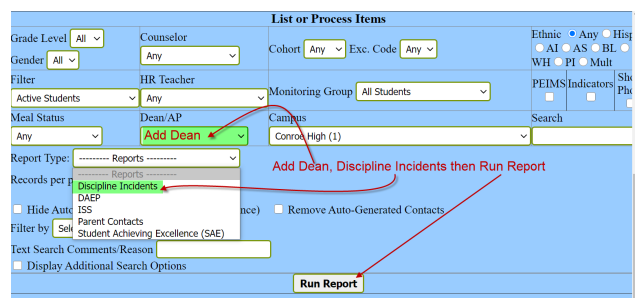
Select the Dean from the list.
-
Set the Report Type to Discipline Incidents.
-
Select Run Reports.
5. Open the Referral
Locate the specific incident you need to update. Select the Blue Wheel icon next to the entry to open and re-process the referral.

Need additional help? Click here for further assistance.