
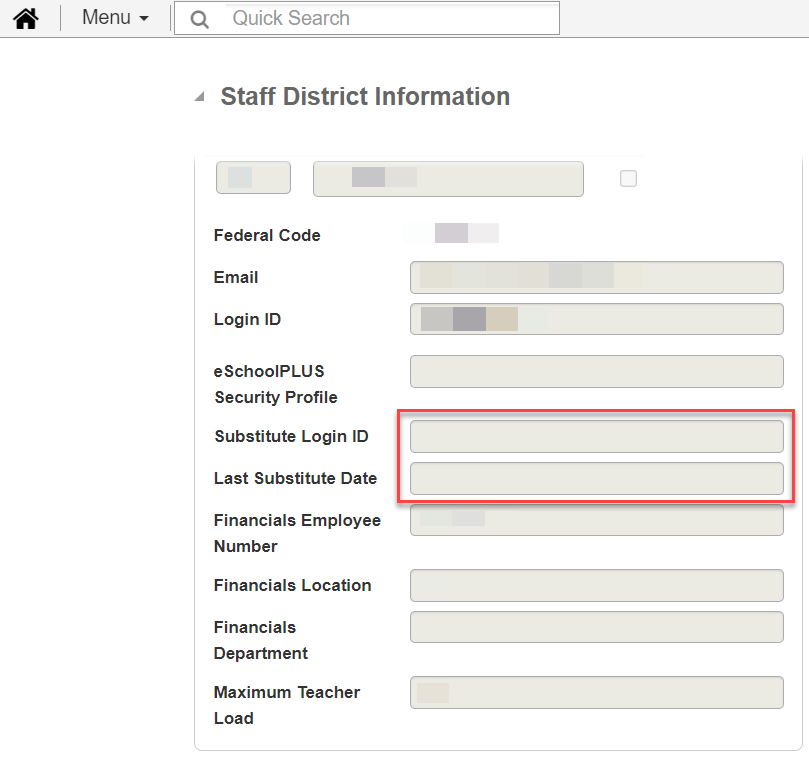
To provide Canvas access to a teacher's long-term substitute, the campus scheduling specialist must add the substitute to the teacher of record’s Staff District Information in eSchool. This process will grant the long-term substitute access to TAC and the Canvas courses assigned to the teacher of record.
Substitutes filling in for a teacher do not have Canvas accounts automatically created.
Depending on when the process is completed by the campus, the long-term substitute should gain access to the Canvas courses within 24 to 48 hours.
Please ensure the following information is entered accurately in eSchool:
Still have questions? Visit the Additional Help section for further assistance.