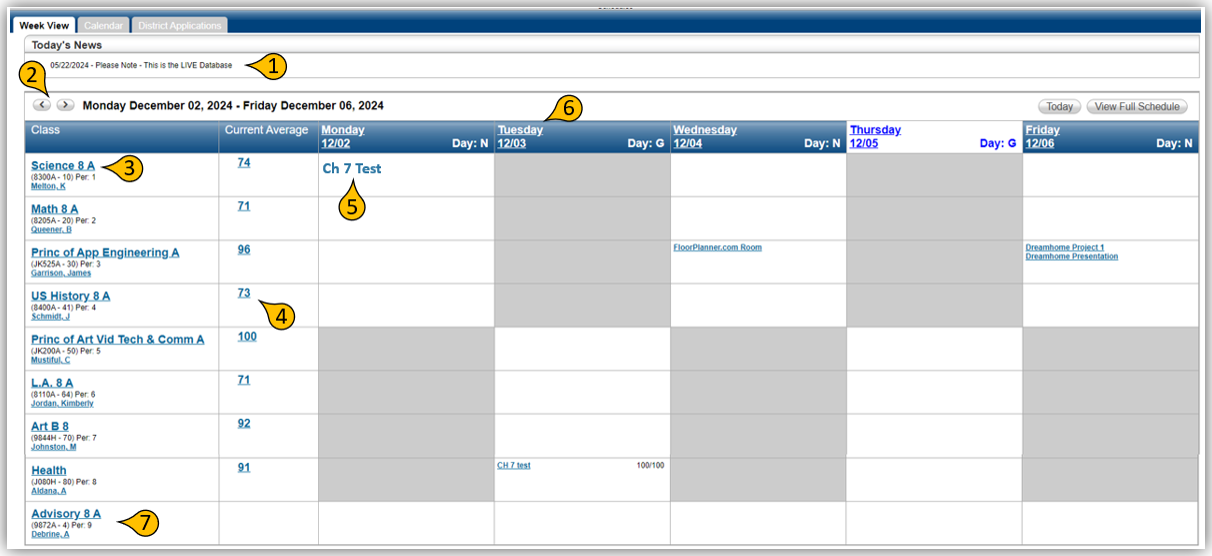
When you first access Home Access Center (HAC), you will be directed to the HOME page.

The HOME page will have several tabbed options such as: Week View, Calendar, and District Applications.
-
The home screen will have Today’s News.
-
You can change the week by simply clicking on the left/right arrows.
-
Click on a course to view the class detail.
-
Click on the grade to view scores, averages, points, categories, and percentages.
-
Click an Assignment to view detailed information.
-
Click on a weekday such as Tuesday to view that day’s detailed scheduled class information.
-
You can also email the teacher directly by clicking on the teacher’s name under the class name.
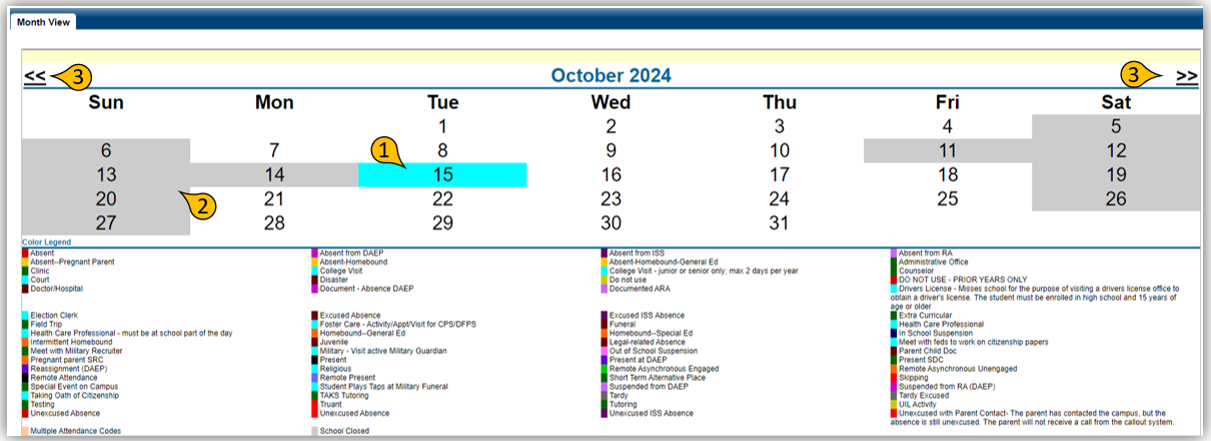
The Attendance screen view will provide a monthly calendar showing any absences for each day.
-
If there are any absent codes, the day will be highlighted representing an attendance code. You can simply hover your mouse curser over that day to show more details.
-
Any day highlighted in Gray, represents either a student holiday or weekend.
-
Click on the left or right double arrows to change the month view.
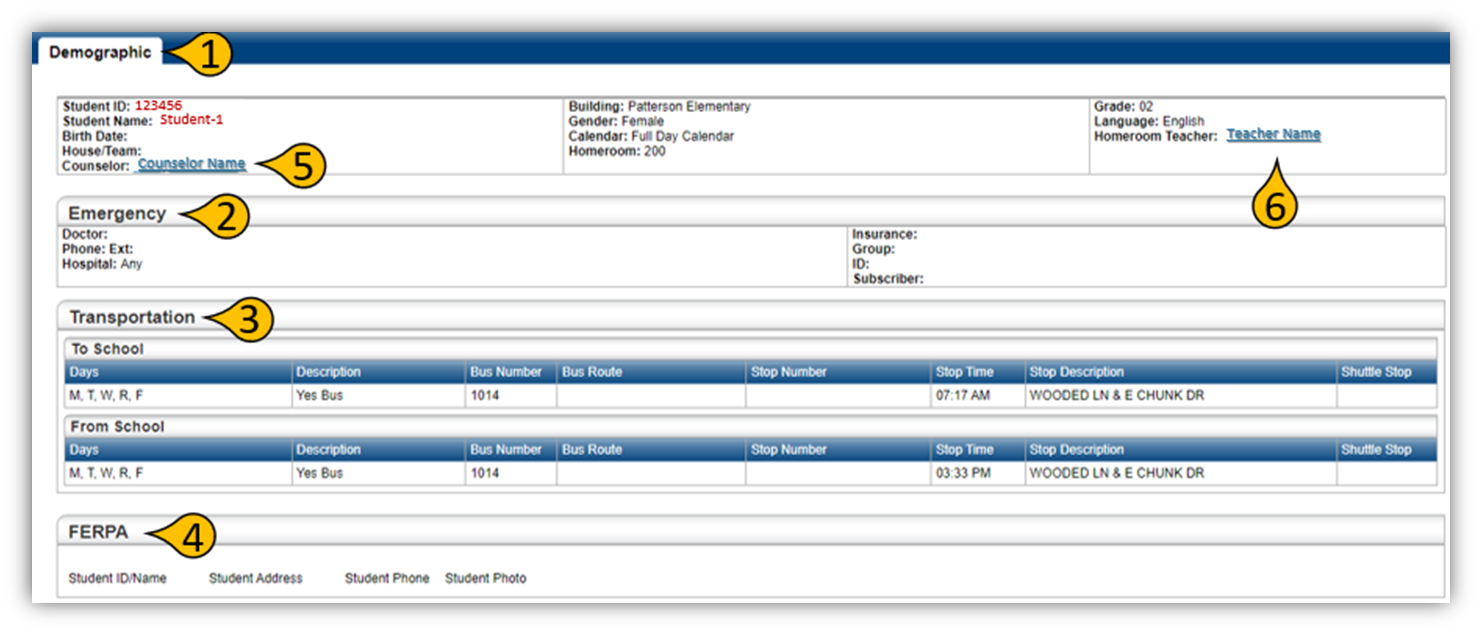
The Registration 
-
Demographic
-
Emergency
-
Transportation
-
FERPA
-
You can also email the counselor
-
and teacher directly from this page by clicking on their name at the top right and left corners
of this page.