
This guide explains how to find the specific device name of an iPad. This information is often needed for inventory checks, troubleshooting, or identifying the device in management systems like JAMF.
-
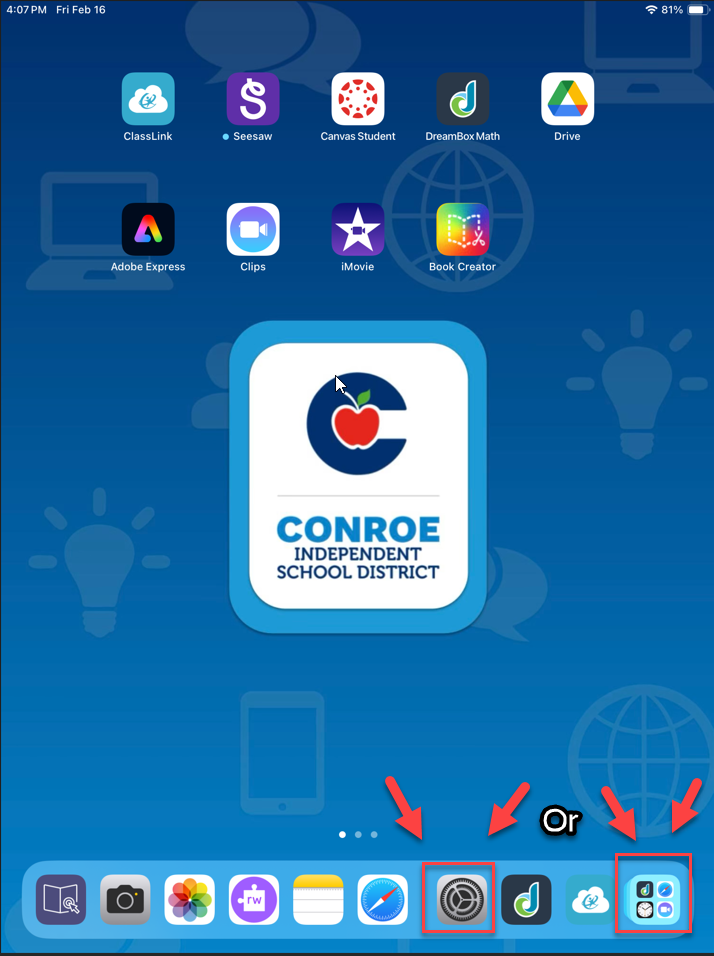
Locate and select the Settings icon (gear wheel).
-
Note: If it is not on the bottom toolbar, check the app folders or the App Library.
-
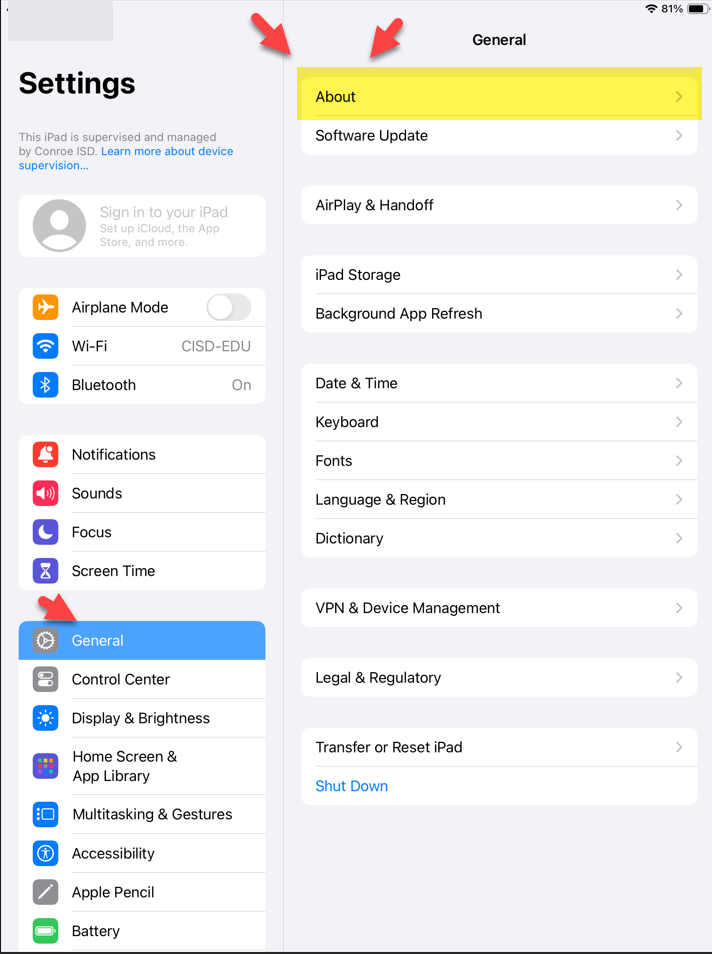
Select General from the left-hand menu, then select About.
-
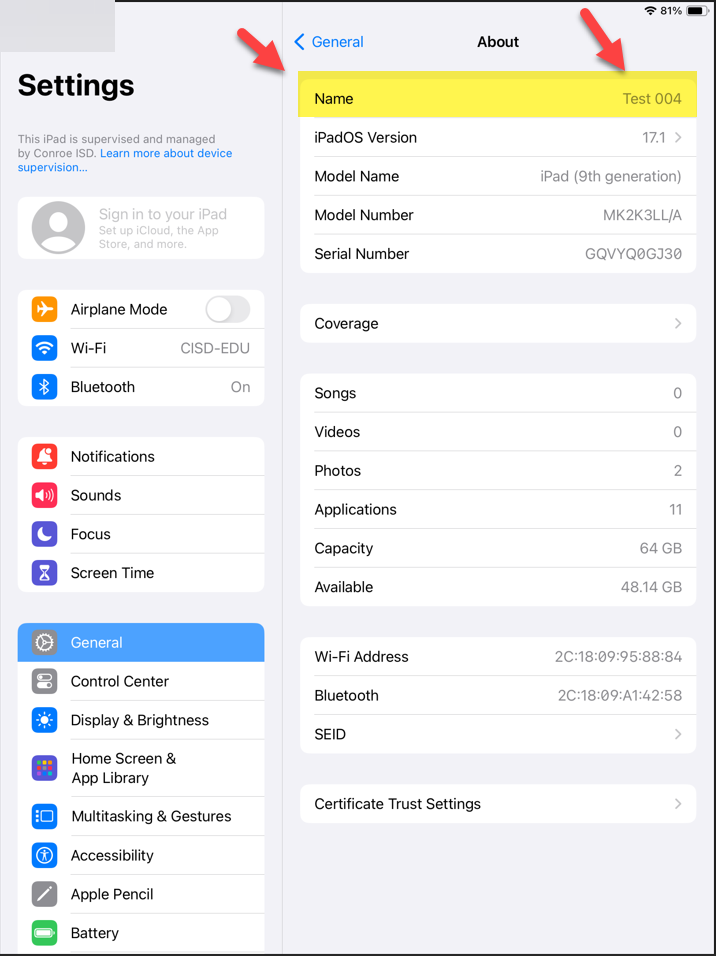
The Name of your device will be displayed at the very top of the list.
Need additional help? Click here for further assistance.