
Here are the instructions on how to make a copy of an assessment that is pending, active, or archived.
If you can’t find the archived assessment, it may have been deleted because it didn’t adhere to the naming guidelines. Here are the guidelines.
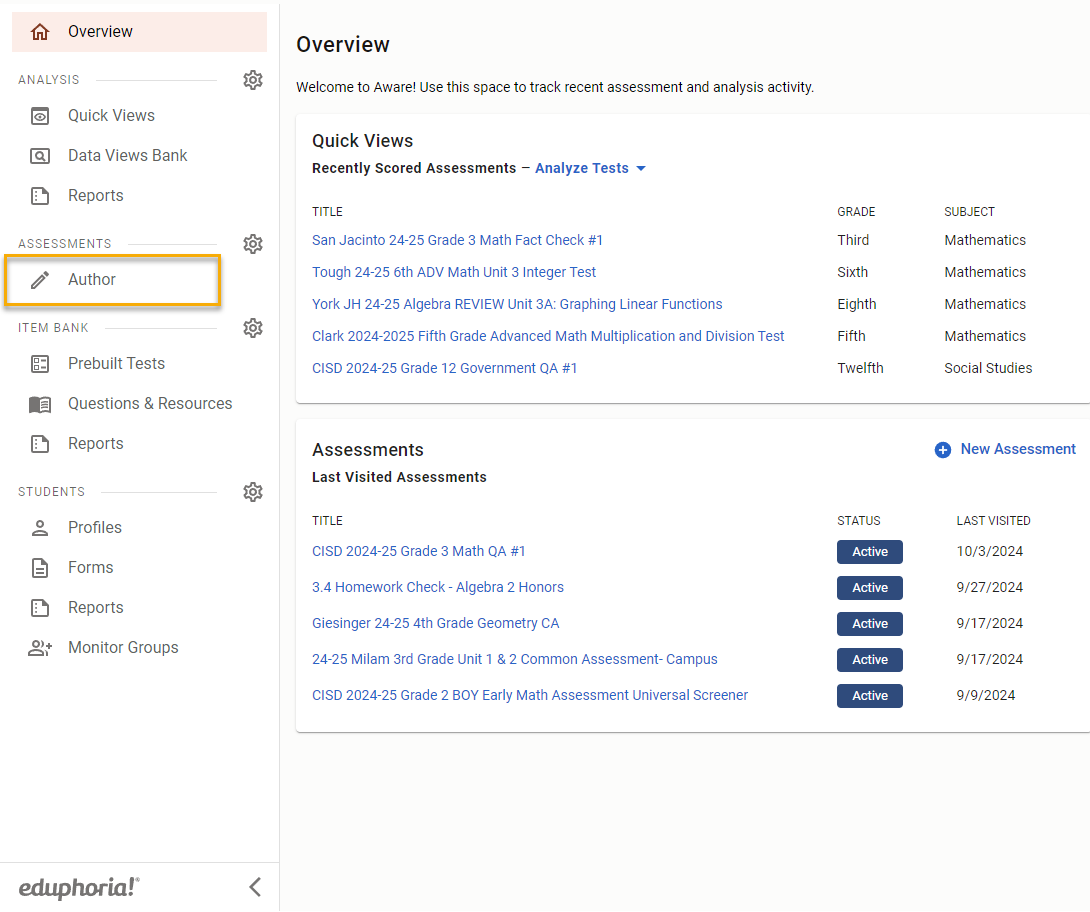
First Navigate to Author in Aware
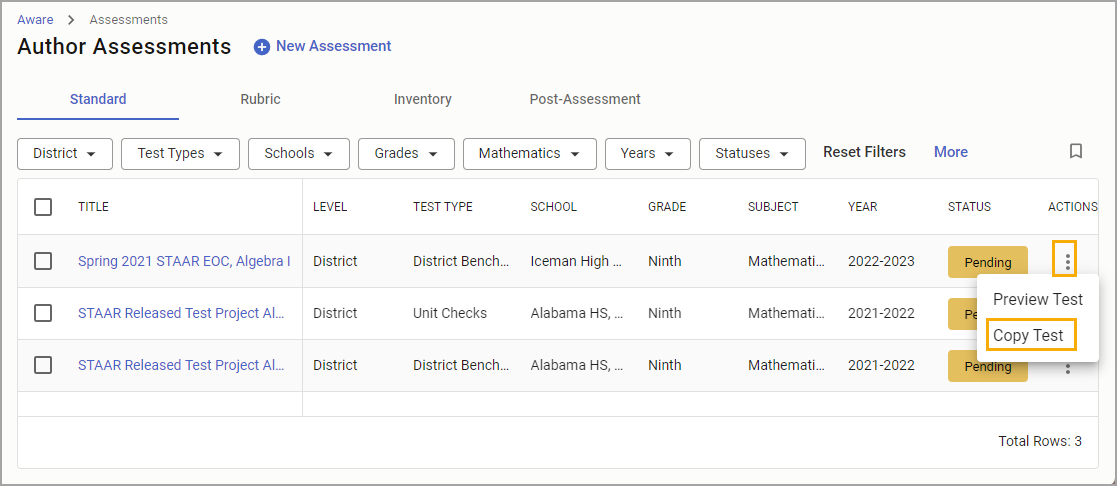
Select Copy Test under Actions to copy a new assessment from any pending or active test.
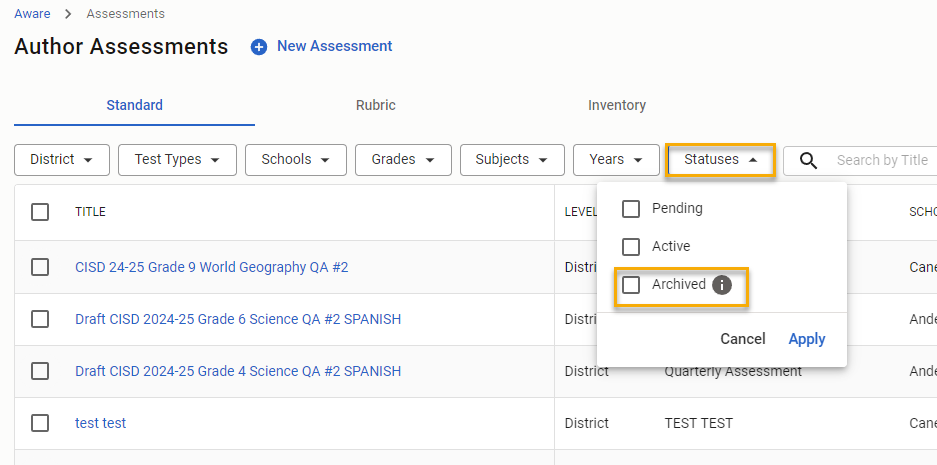
To copy Archived assessments filter by Statuses then Archived. Then you are able to make a copy.
Still have questions? Visit the Additional Help section for further assistance.