
Strive portfolios let you track the hours earned for each certification and generate a report for renewal submission. The print option creates a PDF that includes all certifications along with the corresponding CPE hours of completion.
Viewing and Printing Certification Credits
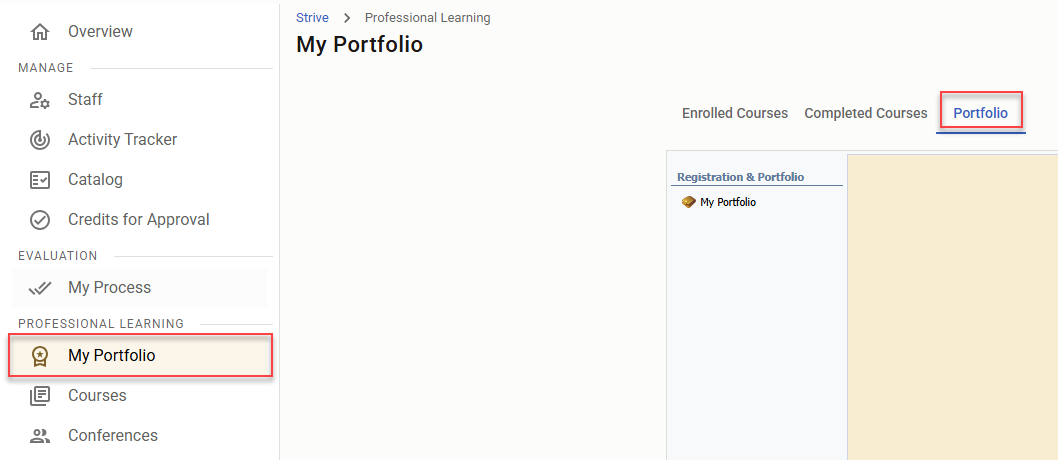
Step 1: Select My Portfolio from the navigation menu, then click on the Portfolio tab and choose My Portfolio.
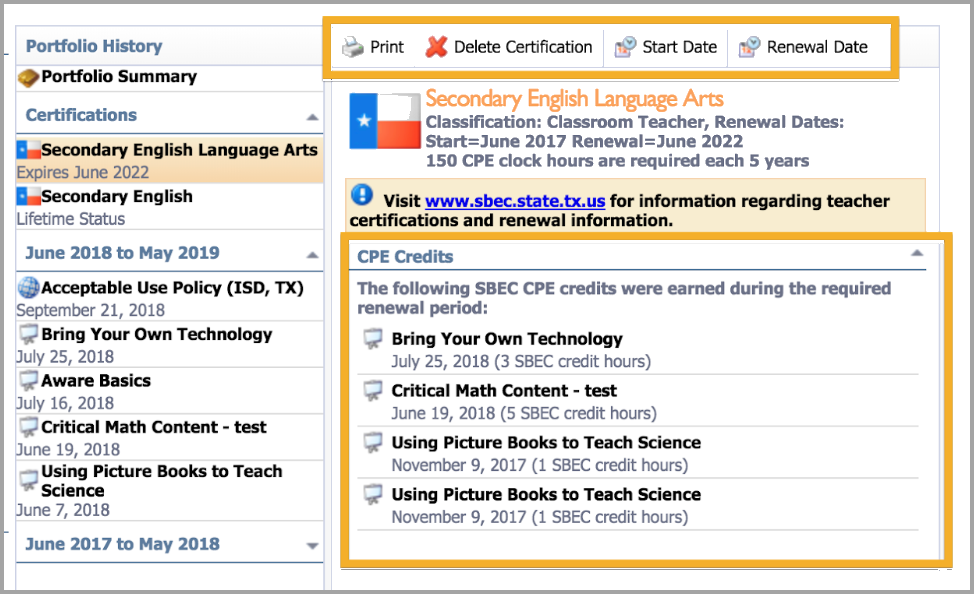
Step 2: Open the Certification drop-down menu and select the desired certification from your Portfolio History.
Step 3: Click Print. The menu bar will provide options to Print, Delete Certification, and edit the Start and Renewal Dates.
Still have questions? Visit the Additional Help section for further assistance.