
How to Request Credit for Outside Professional Development
Only credit requests for professional development pertaining to the current school year will be accepted. These are the required information for request submitted:
Requests missing any of this information will be denied.
- Title
- Date
- Number of GT or/and SBEC credit hours requested.
- An uploaded Certificate
Requests missing any of this information will be denied and will have to be corrected and resubmitted for consideration.
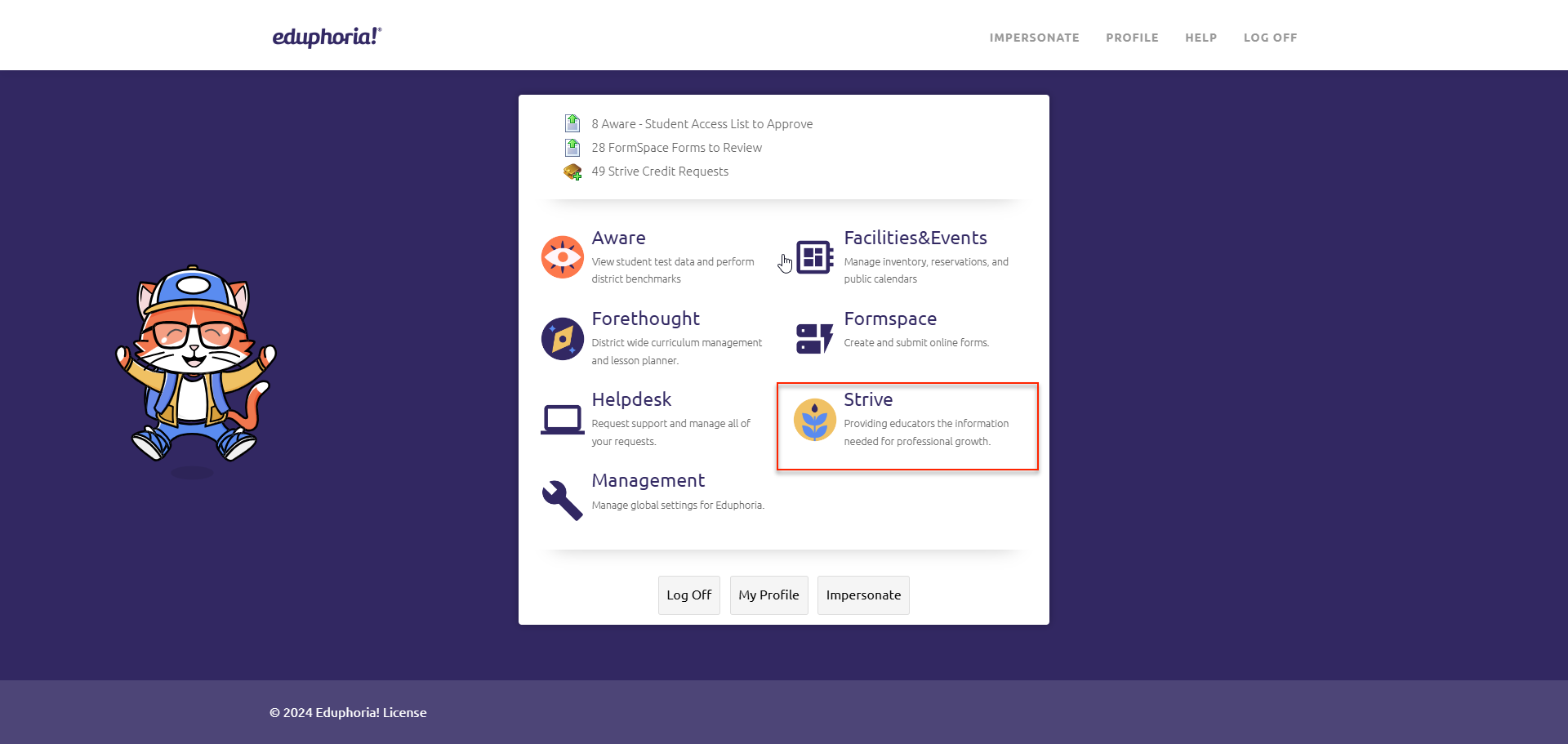
In Eduphoria enter into Strive:
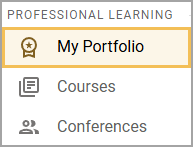
Select My Portfolio and click on Portfolio tab.
Next click on Portfolio, then My Portfolio.
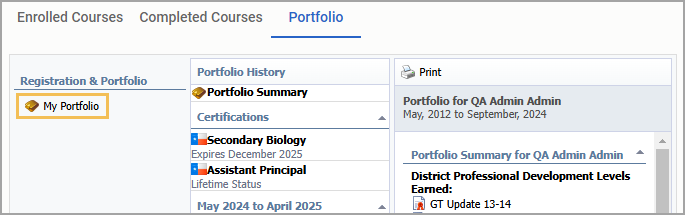
Note: Here you will see all internal workshops you have enrolled in and any outside credit requests you have submitted.
Choose Add New Portfolio Entry.
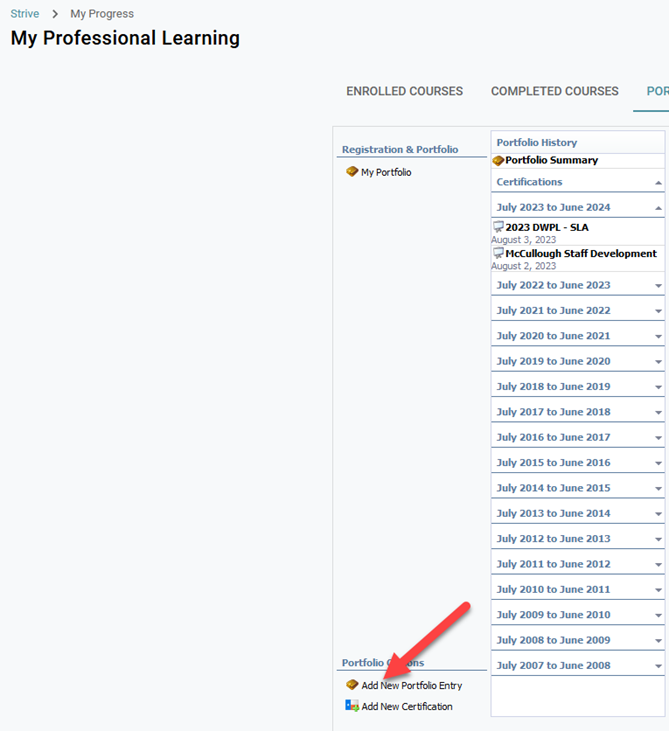
This will open the New Portfolio Entry Wizard for you to enter the details of your class/workshop/course/training/conference.
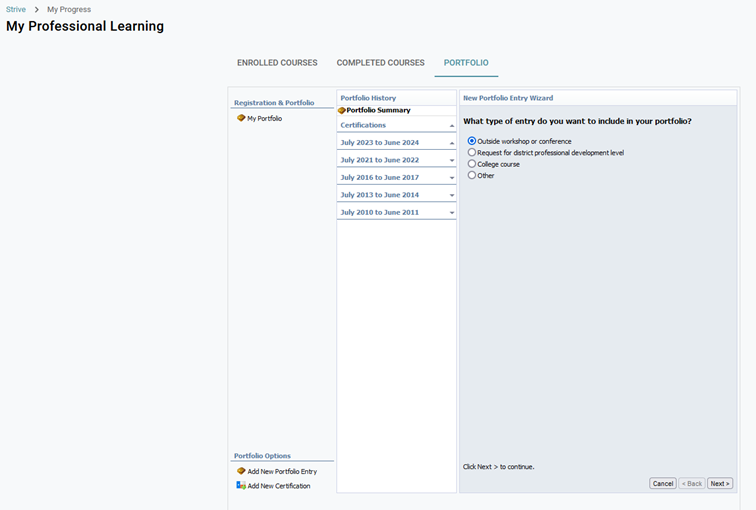
Choose Outside workshop or conference.
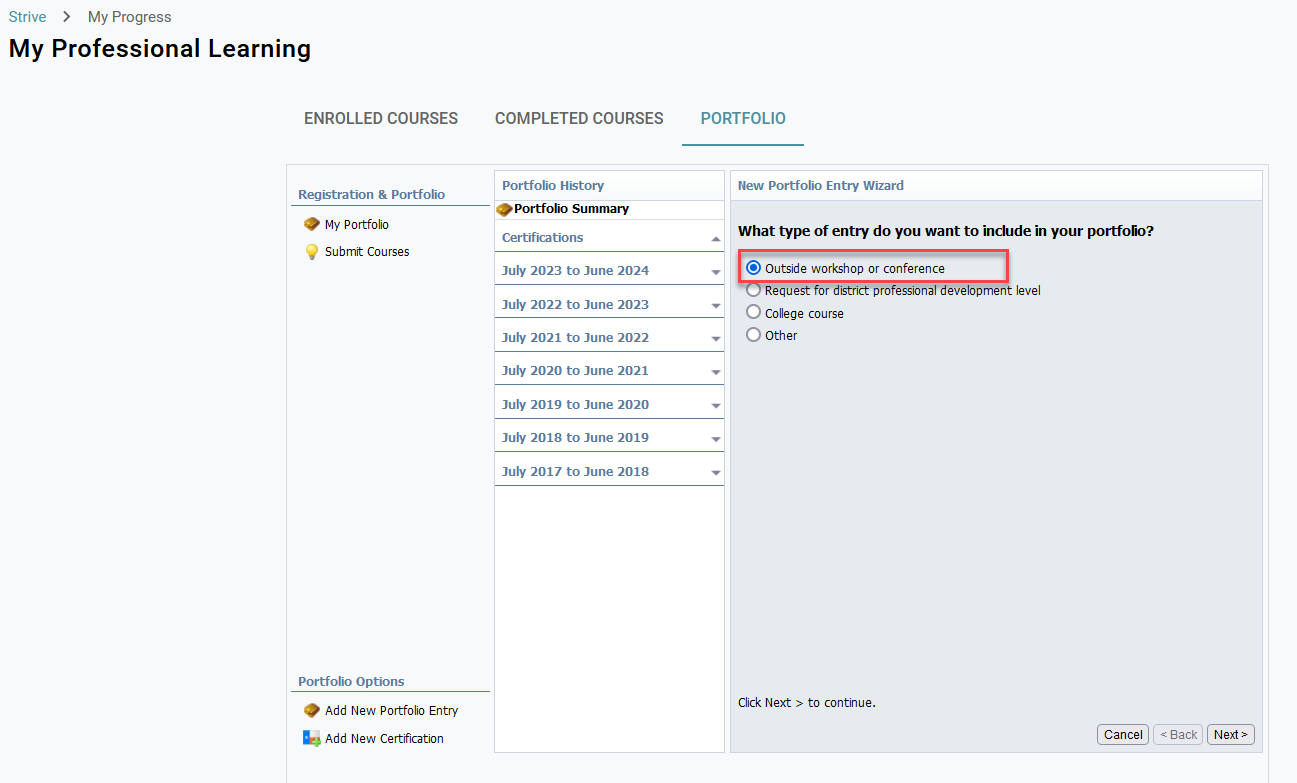
Click Next.
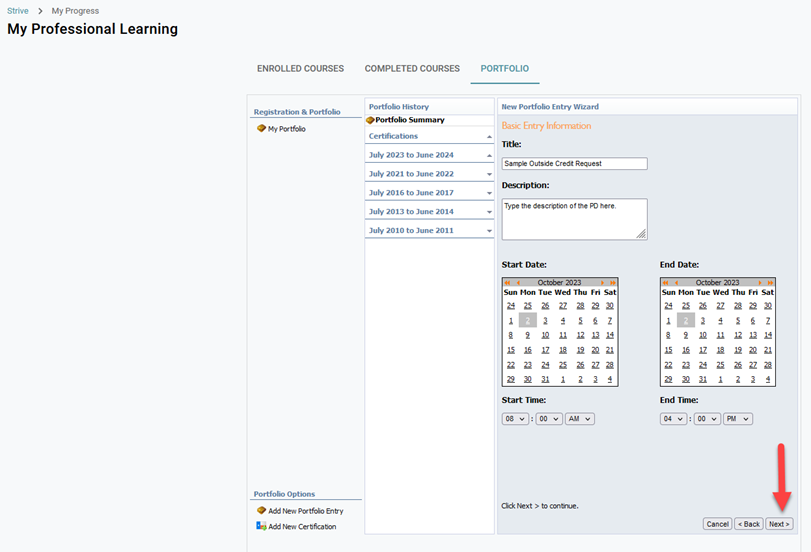
Complete the Title, Description, Start and End Date(s) and Start and End Time(s). Click Next.
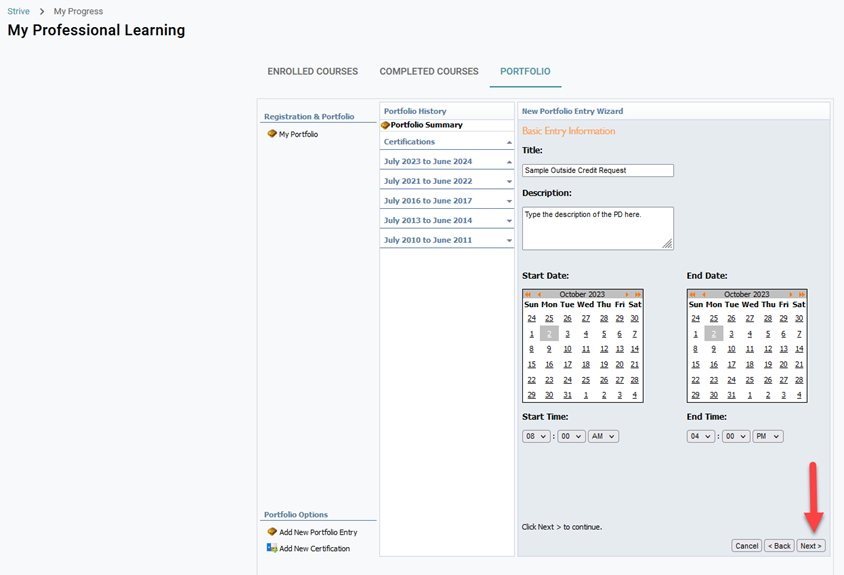
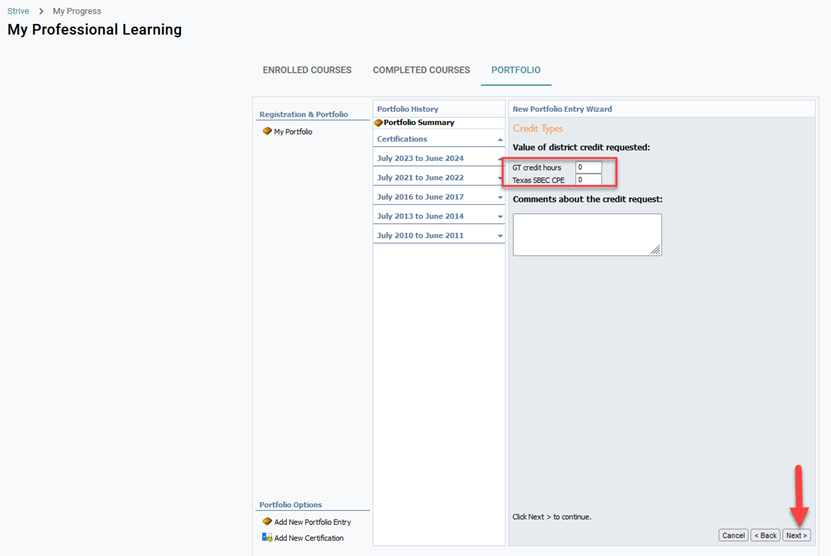
Enter the number of GT credit hours and/or Texas SBEC CPE hours requested. Click Next.
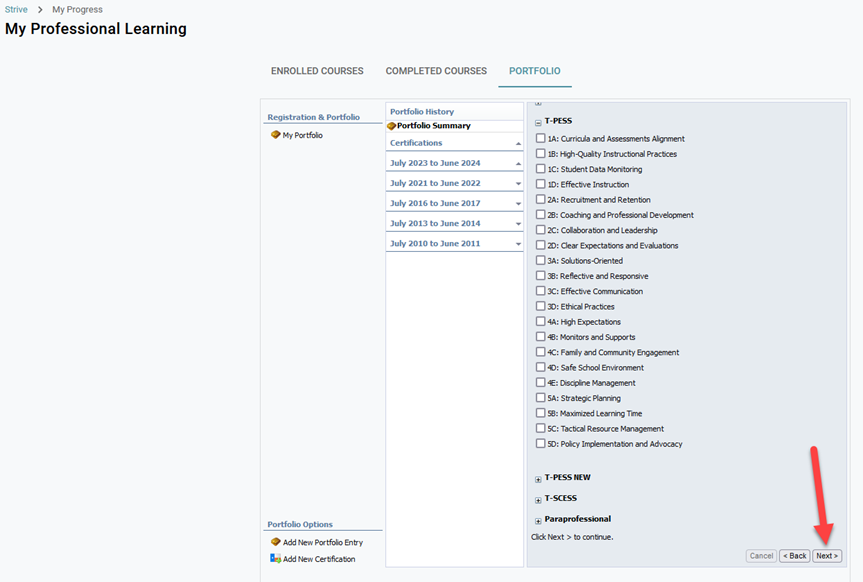
Select any Frameworks or Dimensions that apply to your request. Click Next.
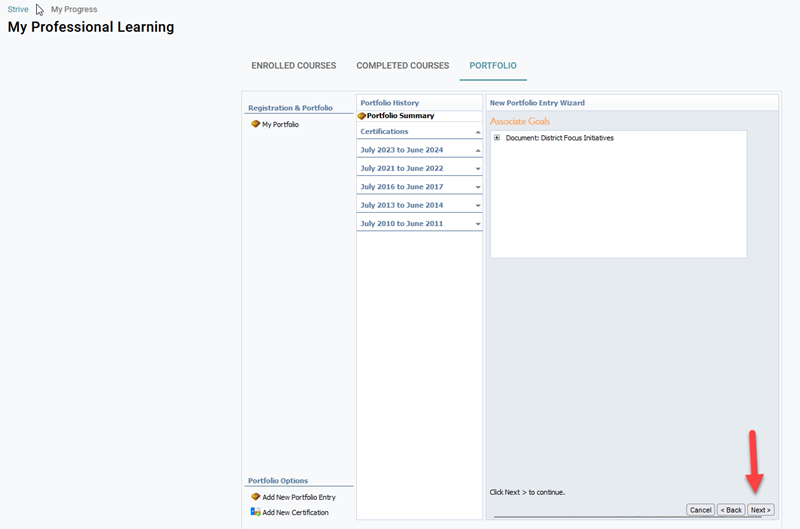
Choose any Goals that you want to associate. Click Next.
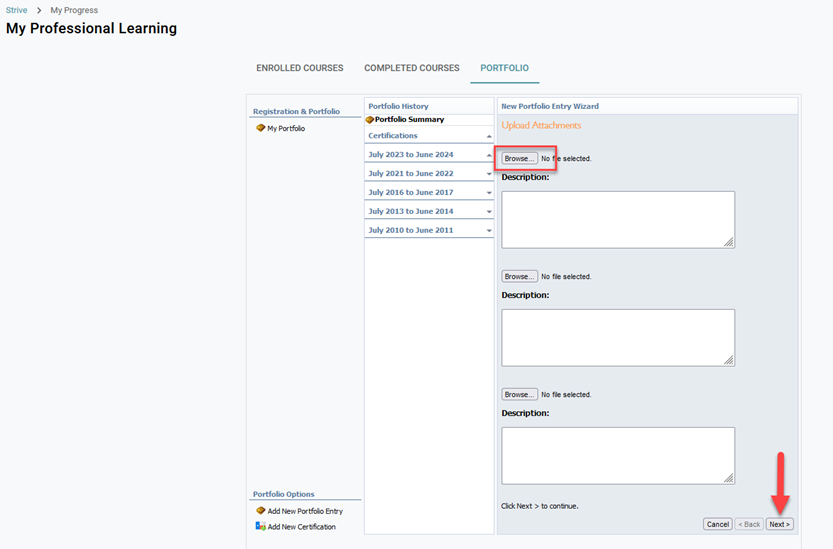
Upload certificates by selecting Browse, locate the file on your computer. (.doc, .pdf, .jpg, and .png files are all accepted)
Click Next.
You will receive verification that your request has been submitted. Click OK; however, you are not done.
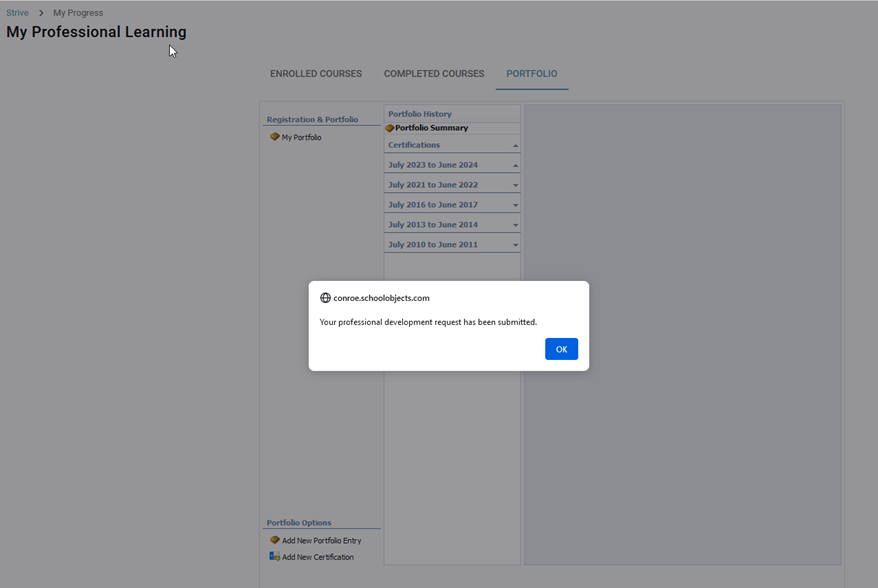
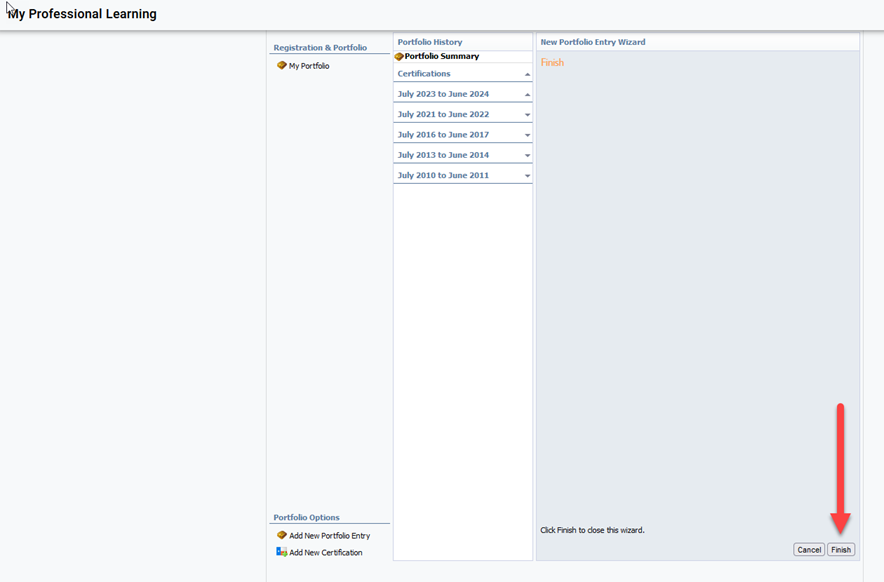
You must click on Finish to exit the wizard.
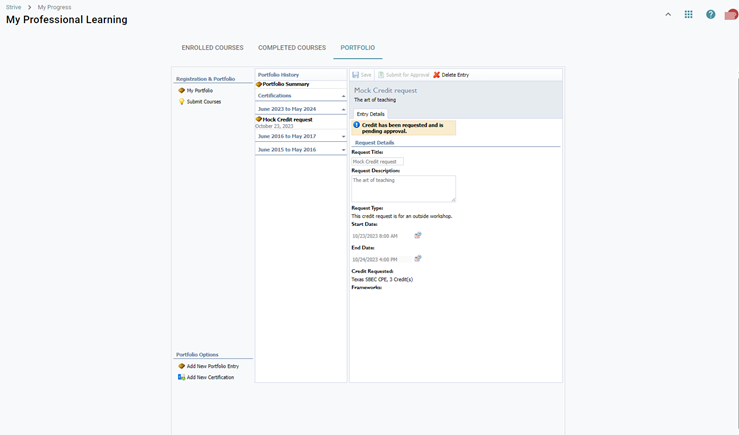
The request will be forwarded to a professional development administrator who will approve or deny the request. You will be notified via email and you will see the confirmation of your request:
NEW EMPLOYEES
If your previous district used Eduphoria to manage PD you may have your past professional development added to your portfolio by requesting an electronic “wxe” file from your previous district. That file will need to be sent to Mariann Patterson at mapatterson@conroeisd.net in “WXE” format.
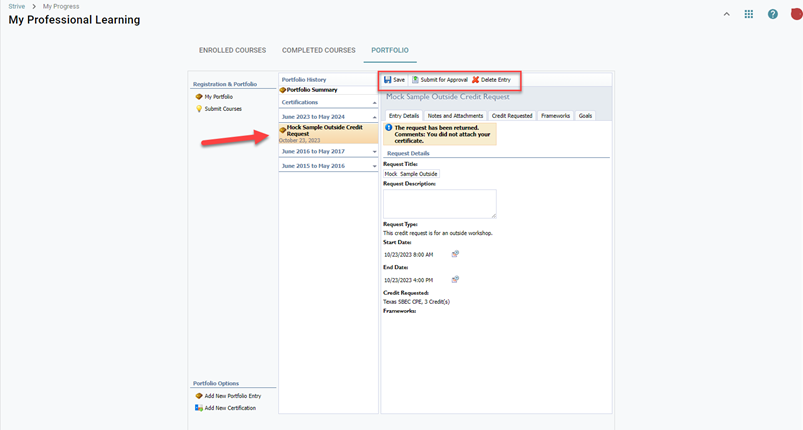
To make changes to a denied request or delete an entry, click on the name of the entry. Make the changes to the denied credit request, click save and submit for approval or delete entry.
Still have questions? Visit the Additional Help section for further assistance.