
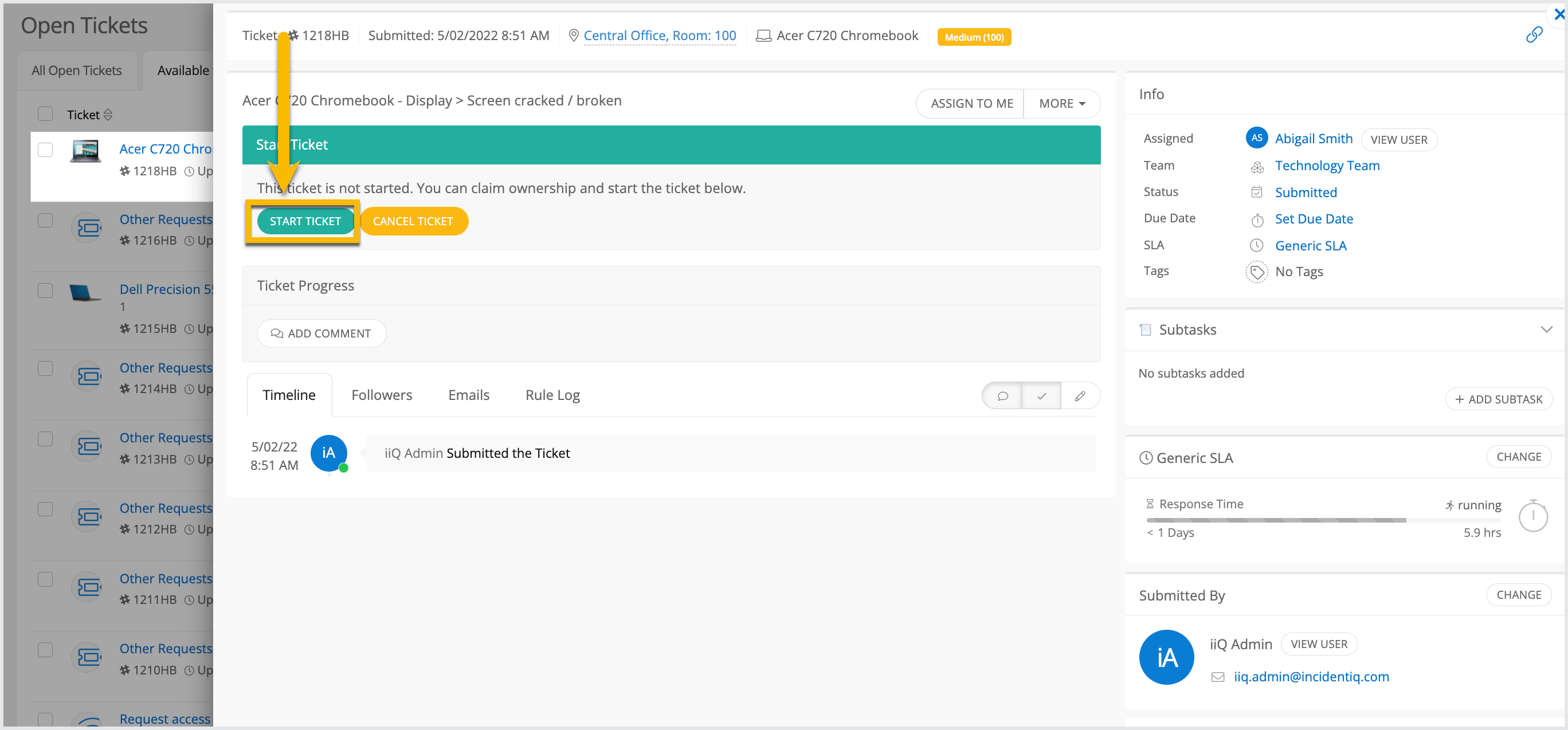
Before resolving any ticket in Incident IQ, you must first start the ticket. This process assigns the ticket to you and opens access to essential tools for logging progress.
Steps to Start a Ticket
-
Navigate to the ticket in Incident IQ.
-
Click Start Ticket near the top of the page.
-
Once clicked:
-
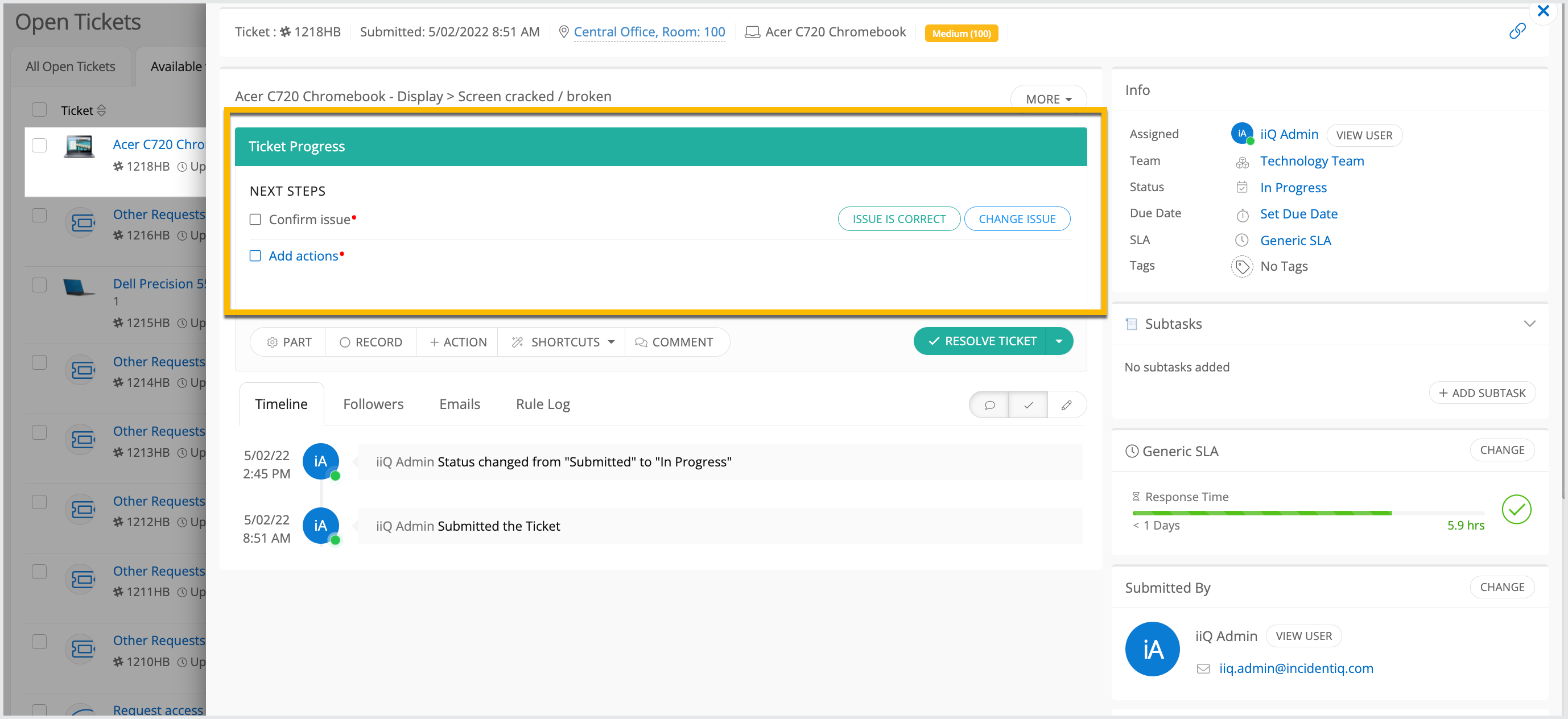
You are assigned as the ticket agent
-
The ticket status updates to In Progress
-
The Ticket Progress section becomes visible
-
What is the Ticket Progress Section?
After starting a ticket, the Ticket Progress section appears. This is where you will:
-
Add resolution actions
-
Leave internal or external comments
-
View the ticket timeline
-
Track your time spent on specific tasks
This area serves as your workspace for all activity on the ticket.
Still have questions? Visit the Additional Help section for further assistance.